islam Zain | Voice Over

Fans

Google-Translate-English to French Google-Traduction-Français-en-espagnol  Google-Traduction-Français-en-allemand  Google-Traduction-Français-en-italien  Google-Traduction-Français-en-allemand BETA Google-Translate-Chinese (Simplifié) BETA Google-Traduction-Français-en-japonais  Google-Traduction-Français-en-coréen BETA
Traduit par +free downloadObtenir ce Widget

search


AddThis

Welcome Guys

Showing posts with label Graphic. Show all posts

NVIDIA Forceware 258.96 WHQL Vista

Written By ISLAM ZAIN on 24 Jul 2010 | 02:04


Download NVIDIA Forceware 258.96 WHQL Vista

NVIDIA Forceware 258.96 WHQL Vista


NVIDIA ForceWare software unleashes the full power and features in NVIDIA's desktop, gaming, platform, workstation, laptop, multimedia, and mobile products. Delivering a proven record of compatibility, reliability, and stability with the widest range of games and applications, ForceWare software ensures the best experience with your NVIDIA hardware.
  • Incredible 3D and video performance for all of your applications.
  • Rock-solid system stability, greater compatibility, and reliability with NVIDIA Unified Driver Architecture (UDA).
  • Industry-leading features for graphics, audio, video, communications, storage, and security.
  • Robust product support for over ten unique operating systems.
  • Continual product performance and feature updates for the life of your NVIDIA hardware.
This software requires Windows Vista.


02:04 | 0 Comments | Read More

NVIDIA Forceware 257.21 WHQL Vista

Written By ISLAM ZAIN on 18 Jun 2010 | 11:09

 Download NVIDIA Forceware 
257.21 WHQL Vista

NVIDIA Forceware 257.21 WHQL Vista


NVIDIA ForceWare software unleashes the full power and features in NVIDIA's desktop, gaming, platform, workstation, laptop, multimedia, and mobile products. Delivering a proven record of compatibility, reliability, and stability with the widest range of games and applications, ForceWare software ensures the best experience with your NVIDIA hardware.
  • Incredible 3D and video performance for all of your applications.
  • Rock-solid system stability, greater compatibility, and reliability with NVIDIA Unified Driver Architecture (UDA).
  • Industry-leading features for graphics, audio, video, communications, storage, and security.
  • Robust product support for over ten unique operating systems.
  • Continual product performance and feature updates for the life of your NVIDIA hardware.
This software requires Windows Vista. 


>>>>>

11:09 | 0 Comments | Read More

LiteImage 1.1

Written By Unknown on 11 Jun 2010 | 15:37

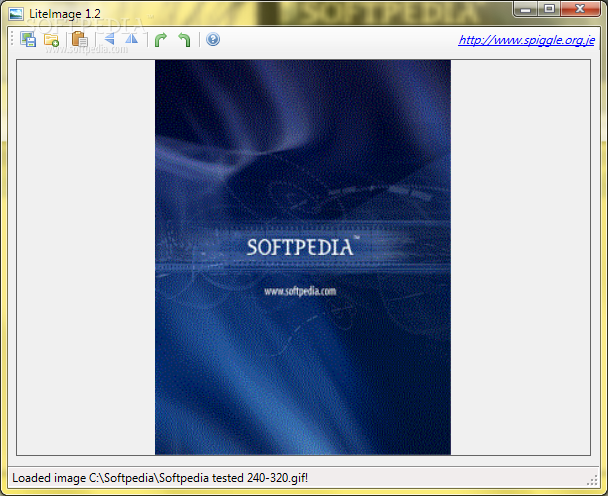
A stand-alone image viewer and editor.

LiteImage is a small and simple image viewer and editor. What makes it unique is its ability to work right out of the box, with working 32-bit and 64-bit versions. LiteImage has many easy functions, such as rotating the image, the ability to convert images to different formats (GIF to JPG) etc, and a clean interface. Combined with quick load time and fast functions, this makes LiteImage a good choice for flexible image viewing.

Requirements:

· NET Framework 4.0


Download
LiteImage 1.1
15:37 | 0 Comments | Read More

StudioLine Photo Basic 3.70.8.0

Written By Unknown on 9 Jun 2010 | 20:25

Image editor, organizer and sharing. 32 filters. IPTC/Exif. CD/DVD archival

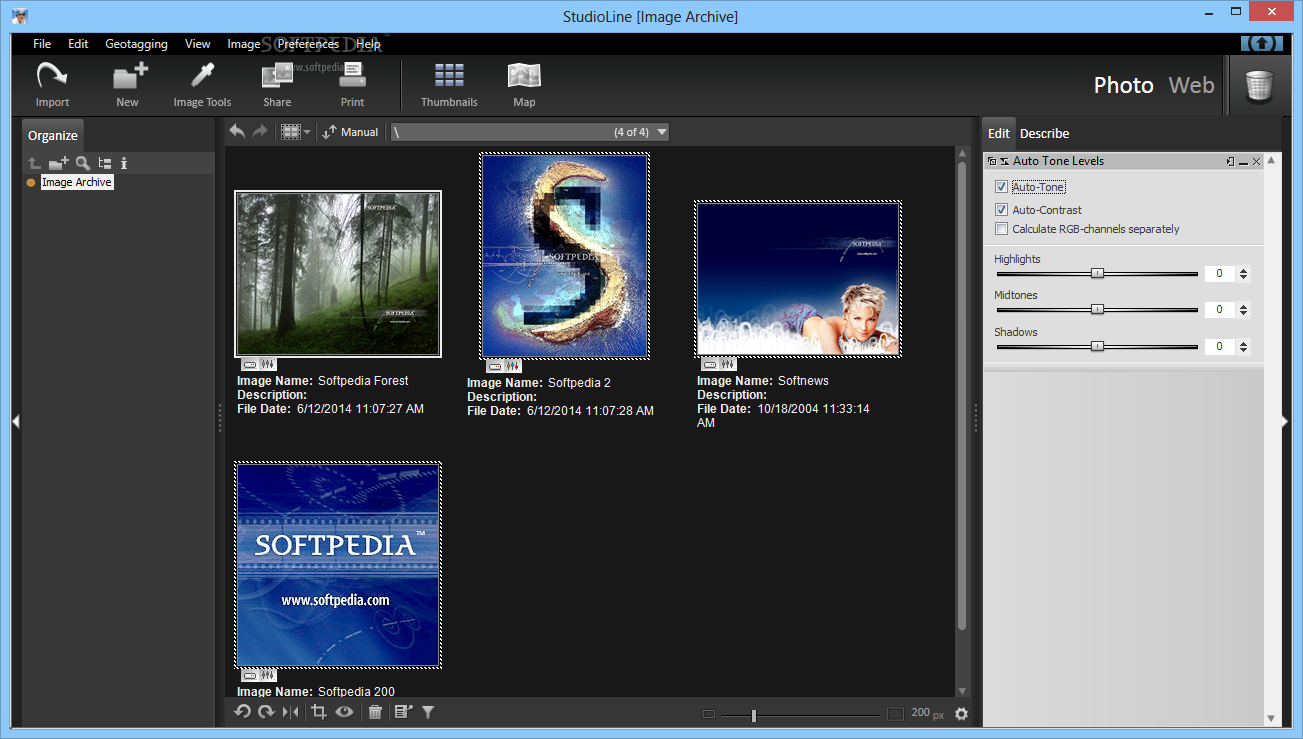
StudioLine Photo Basic is an easy-to-use yet powerful management and editing software for digital photos. Images can be imported from camera, scanner and all popular file formats.

The image archive is the central database where you conveniently categorize your images and add keywords and descriptions. Standard IPTC and Exif tags are fully supported. 30 professional image tools are included to improve exposure problems, red-eye effects, color tones, etc.

Photos can be printed, emailed or uploaded as web galleries. CD/DVD writing is included.

Here are some key features of "StudioLine Photo Basic":

· New Customizable User Interface
· The newly designed user interface offers panes for you to neatly organize descriptors, hints and image/folder information. Size, move, dock or hide panes to perfectly adapt StudioLine to your work flow. Even image tools can be restricted to a pane so that they don't obstruct your view of your images.

· XML Format for Exchanging Data with Other Applications
· StudioLine Photo 3 can export metadata in XML format. This standard format simplifies the exchange of image descriptors with other applications.

· Backup Reminders
· A new backup assistant can remind you in regular intervals to backup your images and offer to launch the appropriate backup task. You choose whether the reminder is based on days elapsed or the number of new images.

· Expanded Database Search by Time Spans
· The new search engine has intuitive controls to restrict the search to a certain time span. This makes it even easier to find images of a particular event.

· Convenient Search and Replace
· The new function to replace image descriptors is ideal for correction spelling mistakes or to standardize similar keywords, e.g., "vintage car" vs. "classic car".

· Special Export and Email Filters
· StudioLine Photo Classic 3 offers special filters for exporting and emailing. Images canbe cropped, sharpened and overlaid with text to prepare them for a particular one-timeuse.

· Web-Gallery Design Wizard
· Make up your own web gallery designs with the help of the new wizard. You choose the thumbnail size, borders, backgrounds and the use of image descriptors. Detail view pages with navigation links are designed in the same fashion. You can save your creations for later reuse.

· Loading and Managing Media Files
· With StudioLine Photo Classic 3 you also load and manage the audio and video files recorded by your digital camera. A new icon in the image archive allows you to play any voice annotation that you associated with an image.

· Transition Effects for Slide Shows
· The updated slide show offers a wide range of transition effects. You can pick your favorite or have StudioLine randomize the effect for each image.

· Online Order for Prints and Gift Items
· Prints and gift items with your images can be ordered directly from StudioLine Photo Classic 3.
· Timeline view automatically organizes images by date.
· A clever image archive filter to find your pictures faster.
· Click & Tag" keywords and categories.
· Rate your images with 1 to 5 stars.
· Live histogram with 18 views for an in-depth analysis of your photos.
· Highly intuitive white balance tool with one-click tone adjustment.
· Gradation curves to fine-tune luminescence for each color channel.
· Support for ICC color profiles.
· Print projects for calendars, cards, CD covers and more.
· Design editor to freely layout album pages, greeting cards, etc.
· Adjust RAW and DNG settings.
· Editing image in RAW format.

Requirements:

· Pentium III or 4 or compatible processor, with a minimum of 800 MHz, higher
· RAM: 1 GB, more recommended
· 150 MB disk space for programs (allow extra space for data)
· 24 bit graphics adapter with monitor resolution of 1024 x 786 pixels

Limitations:

· 30-day trial
· Nag screen on program start


Download
StudioLine Photo Basic 3.70.8.0
20:25 | 0 Comments | Read More

Open Factory 3D 2.4

Written By Unknown on 8 Jun 2010 | 20:55

Design your factory with this tool.

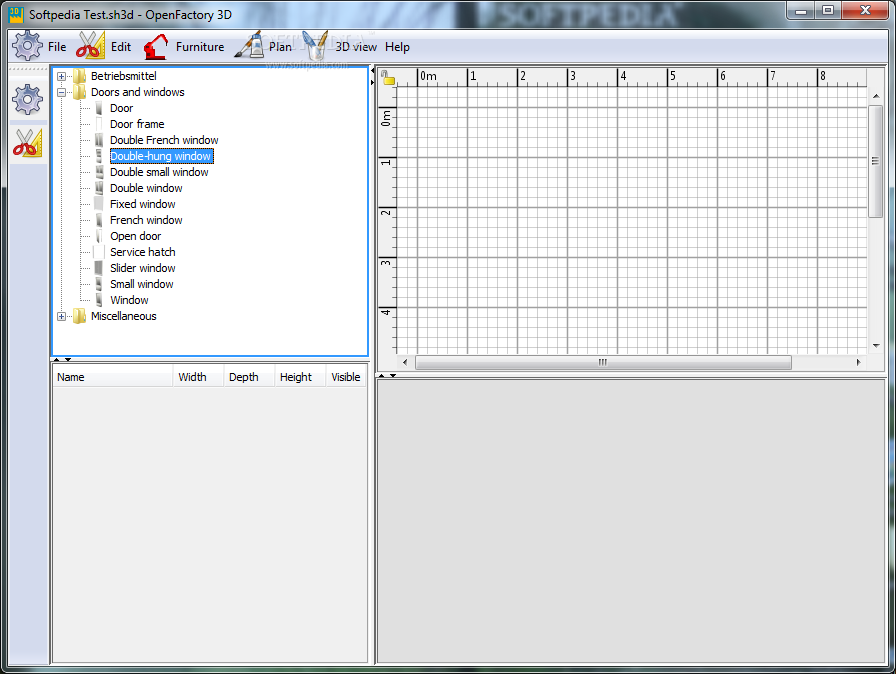
Open Factory 3D is a handy, easy to use factory design application designed to help you place your furniture , machines and supplies on a factory 2D plan, with a 3D preview.

Requirements:

· Java


Download
20:55 | 0 Comments | Read More

PdfGrabber 6.0.0.9

Written By Unknown on 7 Jun 2010 | 20:00

PdfGrabber description


Convert PDF to multiple other formats, i.e. Word, Excel, Txt, DXF, CAD, XML, PPT

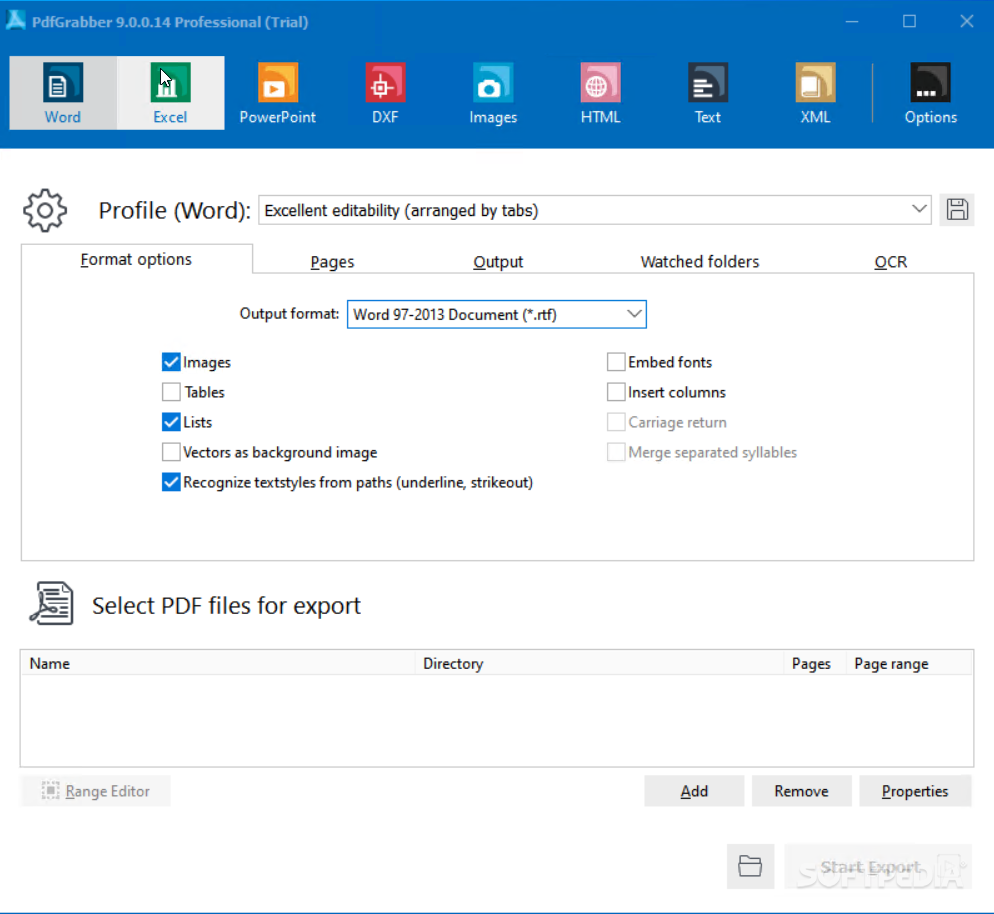
PdfGrabber converts PDF files into multiple formats, i.e. Pdf to Excel, RTF, Word, Text, DXF/CAD, XML or PowerPoint. It permits the handling and processing of PDF contents in other applications such as Microsoft Word, Microsoft Excel or AutoCAD. Adobe Acrobat does not have to be installed.

The software offers a range of possibilities and features such as an efficient export profile administration, automatic monitoring of input directories and various command line options. PdfGrabber is more than convincing with its easy operability, comprehensive features and is offered in three different versions.

Here are some key features of "PdfGrabber":

· Export of PDF contents to various different formats (i.e. Pdf2Rtf, Pdf2Exel, Pdf2Txt ...)
· Extensive export profile administration
· Multiple source documents
· Selectable output directory
· Program start via command line (optional in silent mode)
· Automatic monitoring of different input directories with different export profiles
· Drag'n'drop
· Page ranges (everything, of to, individual pages)
· Content ranges (page begin, page end, document begin, document end)
· Selection of the items which can be exported: Text, form fields, links, annotations, pictures, digital signatures, PageTree, Thumnails, hyperlinks, meta data (partial in preparation)
· Extensive user help function

Requirements:

· Pentium 266 MHz or corresponding processor
· 32 MB RAM (256 MB recommended)
· 20 MB free space on hard disk
· OCR function: Microsoft Office 2003 or later (optional)
· PowerPoint version: to achieve the best possible results, PowerPoint 2000 or later must be installed
· PDF printer

Limitations:

· Randomly inserts X-characters into the exported texts.
· The generated files will have a watermark

What's New in This Release:

· The new PdfGrabber comes with a brand-new PDF printer, which now also supports Windows 7 and 64-bit systems, as well as including extended Office support (bookmarks, tables of contents).


Download
PdfGrabber 6.0.0.9
20:00 | 0 Comments | Read More

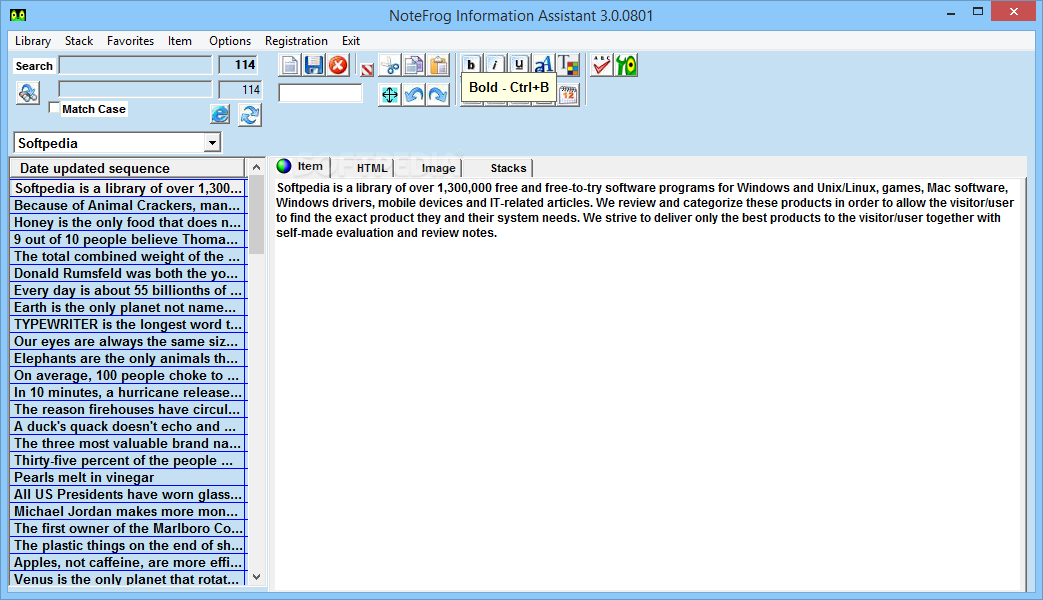
NoteFrog 1.6.1

An Information Manager that human beings can actually use

The NoteFrog application was designed to let you find any scrap of information on any free-form note you have ever saved, and find it in an instant.

NoteFrog was born and nurtured to fill a void in the current information management offerings by providing an alternative to the rigid structure and unnatural interface other systems require.

NoteFrog will store, manage, and instantly retrieve every bit of random, free-form information you throw at it, and do it in a manner and at a speed you never dreamed possible.

If you want an information manager that will help you and not stifle you in a fight to the death with rows and columns, then NoteFrog is for you. Once you familiarize yourself with NoteFrog, we feel sure you'll agree that it surpasses by a wide margin every other offering available today.

Here are some key features of "NoteFrog":

· Zero learning curve. If you can type you can use NoteFrog.
· Instant "on the fly" search shows all matching notes displayed as you type.
· Notes are completely free-format.
· Notes may be grouped, maintained and moved about in independent stacks.
· Notes may include embedded images.
· User-friendly interface designed for ease of use.
· Straight-forward compound searching.
· Case sensitive or insensitive searches.
· Support for 'rich text' formatting of notes -- font/colors/bold, etc.
· Browser integration. All web addresses appearing in notes are clickable and open in browser.
· Import/Export data into standard Windows files. Provides easy backup and restore.
· Optional Stack password protection.
· Capture items directly from the Windows clipboard.
· Can be used as a clipboard manager.
· Stores text notes and images.
· Define templates for easily creating items in standard formats.
· Builtin comprehensive help system.
· Automatic notice of program updates.

Limitations:

· Create New Stack option disabled
· 30 days trial


Download
00:33 | 0 Comments | Read More

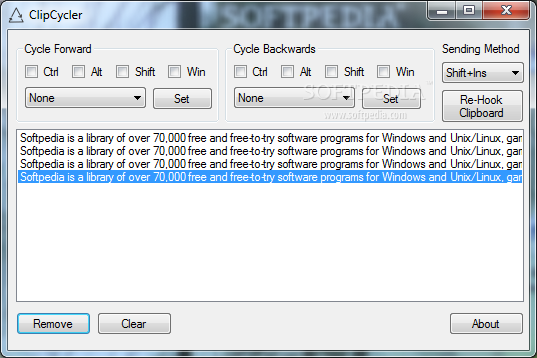
ClipCycler 1.0.0

Written By Unknown on 6 Jun 2010 | 20:42

Multiple copy / paste operations with this tool.

ClipCycler is a handy, easy to use tool designed to help you with multiple copy / cut / paste operations with configurable hotkeys.

You can easily use this tool to manage your clipboard's content also with just a few clicks.


Requirements:

· NET Framework 4.0


Download
ClipCycler 1.0.0
20:42 | 0 Comments | Read More

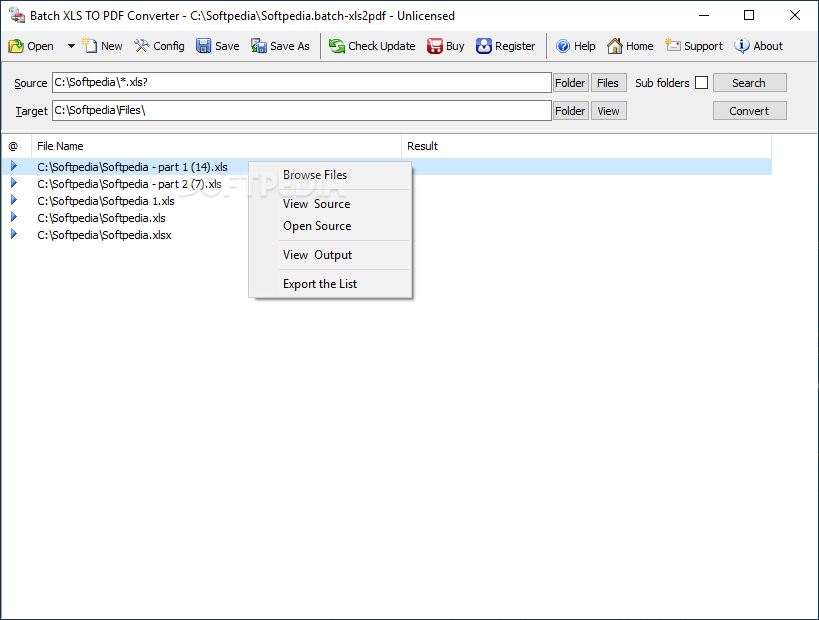
Batch XLS To PDF Converter 2010.2.606.1123

Excel to PDF, XLS / XLSX to PDF Batch Converter publish Excel XLS to PDF format.

Batch XLS TO PDF Converter is an easy-to-use = Excel to PDF, XLS / XLSX to PDF multiple converter. Batch XLS TO PDF Converter supports powerful search for a lot of files. A PDF publisher for Excel.

Batch XLS TO PDF Converter supports project and command line. Batch XLS TO PDF Converter has a friendly GUI so it is used very easily. Batch XLS TO PDF Converter Drag and Explorer Context supported.

Batch XLS TO PDF Converter supports a efficient Multi-Thread conversion engine. So you could control the conversion action very easily. You can stop or pause and continue it in any time.

You can save your conversion work in a project file (.batch-xls2pdf) for re-use. You can run the batch-xls2pdf project in Microsoft Windows Explorer or command line directly.

Here are some key features of "Batch XLS To PDF Converter":

· Convert Excel XLS/XLSX to PDF (Portable document Format) easily.
· Batch convert XLS to PDF with GUI that supports powerful search function.
· Supports convert a XLS/XLSX file.
· Supports convert XLS/XLSX files in a folder.
· Drag and context menu with Microsoft Explorer supported.
· Supports batch project and command line.
· A efficient high-speed Multi-Thread conversion engine.

Limitations:

· 7 days trial
· Nag screen


Download
20:40 | 0 Comments | Read More

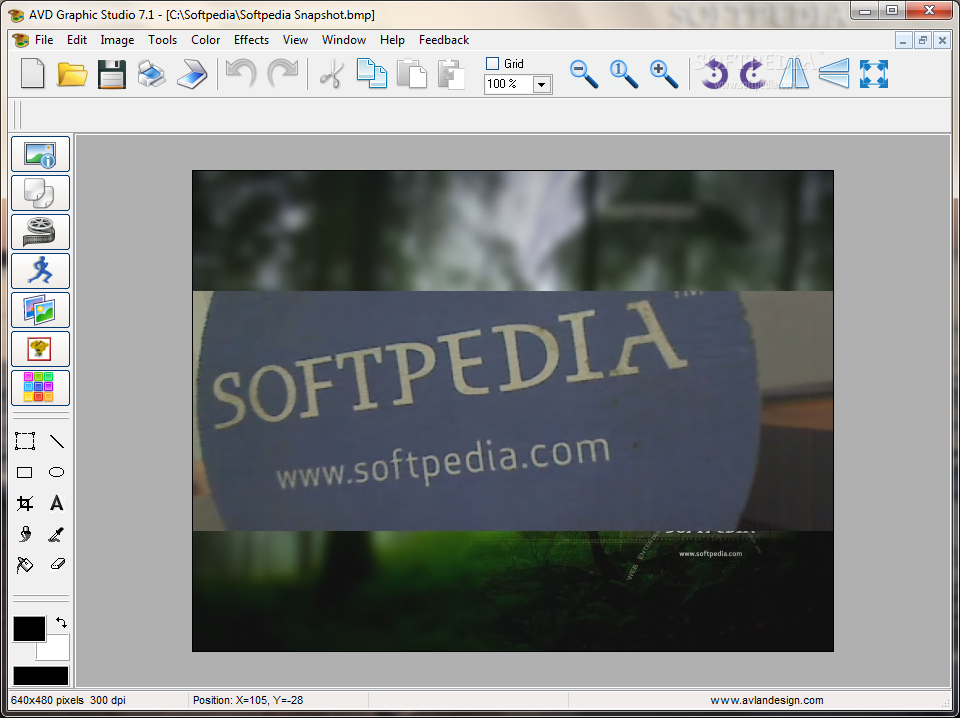
AVD Graphic Studio 6.8.5

Written By Unknown on 4 Jun 2010 | 18:22

 Edit your images with multiple tools and effects

Looking for an image processor that would offer advanced options and features, yet would not cost a fortune? AVD Graphic Studio, is a Photoshop clone with very similar features at a much lower price.

It provides over 20 tools to work with images – cropping, resizing, rotating, bump mapping, histogram equalization, mirroring (horizontal and vertical), special effects filters and many more handy options for image manipulations.

While AVD Graphic Studio can be used by any amateur, who just recently purchased digital camera, the software does offer quite a few sophisticated options for professional designers and digital artists.

For instance, AVD Graphic Studio acquires images from TWAIN scanners and can be used to regulate contrast, HSL, HSV/HSB and RGB settings. AVD Graphic Studio comes with four modules – MultiPage, Video, Animation and Batch Processing.

The first module, as it names suggests, is show all kinds of FAX images, multipage FAX and multipage TIFF images (rev.6.0, Packbits, LZW, CCITT G.3 and G.4) with RGB, CMYK, B/W, animated GIF and Multipage PCX (DCX). Also FAX (CCITT3), G3F and G3N (Zetafax) formats supported for loading.

The second Video module allows users to capture individual frames from video files in order to create animated GIF files. The third module creates animated GIF files from a set of static images (tif, tiff, fax, gif, jpg, jpeg, jpe, pcx, bmp, dib, rle, ico, cur, png, wmf, emf, tga, targa, vda, icb, vst, pix, pxm, ppm, pgm, pbm).

The fourth module, as it names suggests, is intended for processing multiple images in batches. The module supports all common image formats and offers conversion, resampling, resizing and resolution readjustment options, among others.

Here are some key features of "AVD Graphic Studio":

· Save/load specific file format parameters and save/load preview dialogs
· Acquires images from TWAIN scanners
· Image processing (Equalize, Contrast, RGB, HSV, HSL, FFT, convert to 24 bit, gray and B&W)
· Effects (Negative, bump map, lens, wave, morph, user filters)
· Crop functions and Copy to clipboard
· Changes resolution on graphic files
· Advanced print control (many options)
· Rotating through any angle
· Mirroring (horizontal and vertical)
· Resizing (9 filters for quality resampling : Triangle, Hermite, Bell, BSpline, Lanczos3, Mitchell, Nearest, Linear, FastLinear)
· Draw with a multitude of tools
· Extents selection, resizing and moving regions
· Image clearing - Remove Noise and Remove Isolated Pixels
· Image Deskewing (to correct images that were skewed from fax transmission, scanning, etc).
· Simple tool which helps to remove red eyes
· Drop shadow (Gaussian Shadow)
· Frame, Mask and Border Effects
· Slicing tool

Requirements:

· P-II-350
· 128 MB RAM

Limitations:

· 20 days trial
· Nag screen

What's New in This Release:
· frame tool has been added


Download
AVD Graphic Studio 6.8.5
18:22 | 0 Comments | Read More

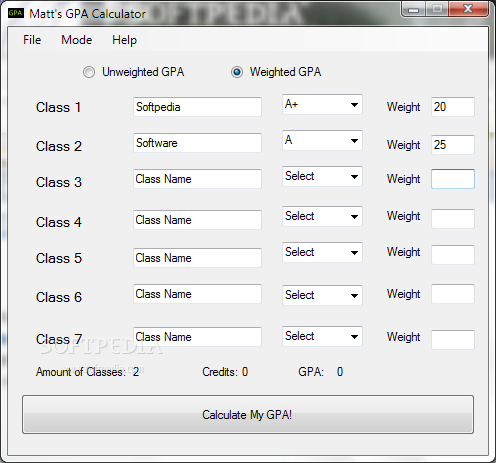
Matt's GPA Calculator 3.1

 A small and simple GPA calculator

Matt's GPA Calculator is an easy to use GPA calculator which can calculate a weighted gpa an unweighted GPA or a cumulative GPA.

Requirements:

· Net Framework

What's New in This Release:

· Fixed Bugs with Weighted GPA
· Changed Wording


Download
Matt's GPA Calculator 3.1
18:17 | 0 Comments | Read More

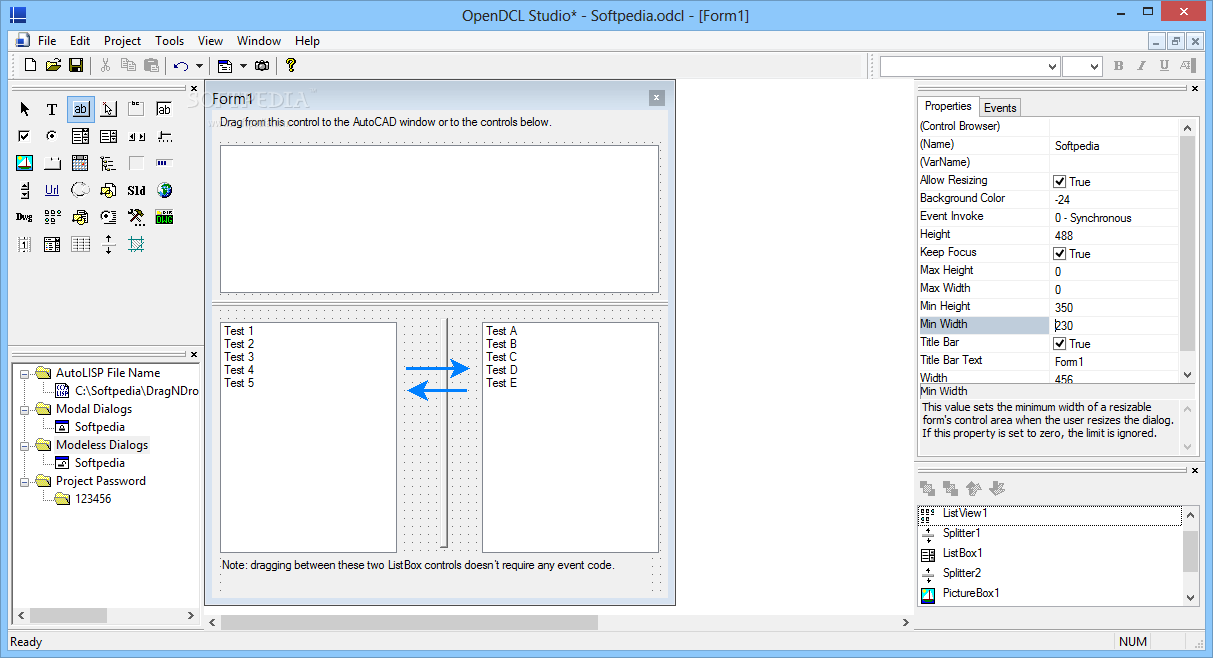
OpenDCL 6.0.0.27

 A tool to help AutoLISP programmers with their work.

OpenDCL is a handy, easy to use tool specially designed for AutoLISP programmers that want to replace AutoCAD's limited DCL (Dialog Control Language) user interface language with a rich set of modern Windows user interface elements.


Download
OpenDCL 6.0.0.27 
18:12 | 0 Comments | Read More

Ezy Estimator 2010 1.3.0.9

 Estimate, schedule and track all project costs with accuracy

Ezy Estimator is a strong application designed for contractors such as plumbing, carpentry, electrical, mechanical, landscape, masonry and concrete, painting, remodeling and general building.

Work the way you want by building your estimate with Ezy Estimator’s fully flexible estimating model. The user friendly tabbed screen navigation creates an efficient workflow environment. Create jobs and assign tasks with speed, open a database file to assign Materials or simply create your own.

Need to see how the project will run? No problem! Ezy Estimator can automatically schedule your project as you estimate via the built-in fully functional Ezy Scheduler - it’s just one click away! Drag the Task Bars to change the start dates and Ezy Estimator will calculate the finish dates and new costs.

So you have the job, what now? Most estimating packages have already left the building - not Ezy Estimator! Using the Ezy Timesheets you can instantly see how much has been spent on each task and check its progress in the scheduler. You can add invoice records to track material and equipment costs too.

Setting a new standard in estimation software Ezy Estimator provides you with one complete project software solution. Create professional Bid Presentations with ease using the report editor. Advanced printing features mean individual company profiling is now at your fingertips.

Estimate, schedule and track your project with one package that’s easy to use yet powerful enough for the most demanding projects. Being both flexible and dependable Ezy estimator can be tailored to suit all business models, whether manufacturing or construction, consultation or corporate. Ezy Estimator produces the desired results, fast!

Requirements:

· 1 GHz Processor
· 512 MB RAM
· 1024 x 768 Screen Resolution

Limitations:

· 30 uses trial

What's New in This Release:
· The Tasks and Labor and the Materials and Equipment tabs have been merged making the estimating process clearer and faster!
· It is now possible to add a new material directly from the materials treelist.
· A new dialog allows you to enter or edit a material's fields


Download
Ezy Estimator 2010 1.3.0.9
05:37 | 0 Comments | Read More

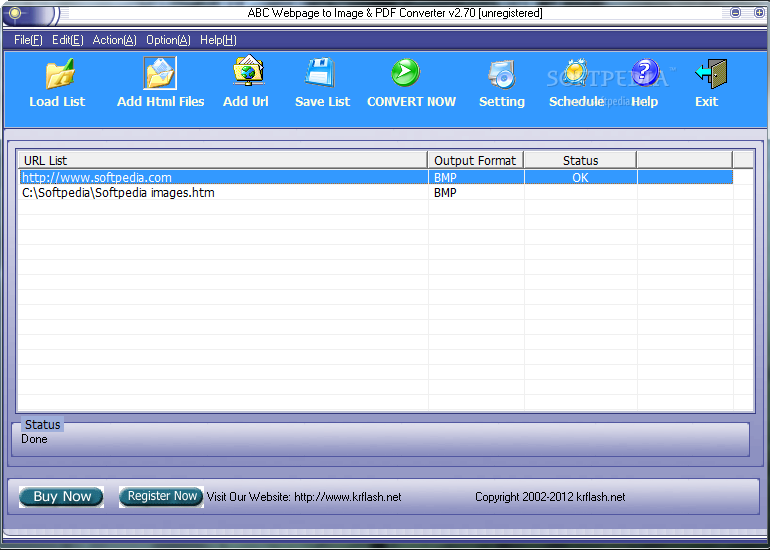
ABC Webpage to Image & PDF Converter 2.2.0.13

 Convert web page to image and PDF file

ABC Webpage to Image & PDF Converter is an easy-to-use and flexible application that will help you convert web page from any URL to image and PDF. ABC Webpage to Image & PDF Converter captures the whole web page's content into JPG, BMP, GIF or PDF on the fly.

ABC Webpage to Image & PDF Converter has an user friendly interface that supports drag & drop. You can convert many pages in batches. ABC Webpage to Image & PDF Converter makes batch file conversion simple. Create a batch list of many web pages and convert them all to a single selected output format(Image or PDF).

The converted files will be saved to a pre-selected directory folder and the original files will remain untouched. ABC Webpage to Image & PDF Converter features include: Support Batch converting webpage on the website directly to JPG, PNG, Tiff, BMP, GIF with “Add URL”.

Here are some key features of "ABC Webpage to Image & PDF Converter":

· Support Batch converting webpage on the website directly to JPG, PNG, Tiff, BMP, GIF with “Add URL”.
· Support Batch converting Htm/Html to JPG, PNG, Tiff, BMP, GIF with “Add URL” or “Add Html Files”
· Converts web page from any URL to multi-page PDF files.
· Converts local html file to TEXT files.
· Batch conversion is supported.
· Save the imported file list.
· Create output files with high good quality.
· Generate webpage thumbnails.
· Easy to use with intuitive user interface and drag-drop feature.
· Built-in pretty mini browser.
· Support custom image watermark and text watermark.
· Adjust output image quality.
· Converting Schedule: start converting at any time you set.
· Run at background, web pages don't need to be displayed for capturing.

Limitations:

· Watermark on output files
· 30 days trial

What's New in This Release:
· Add support Windows 7.
· Fix some bugs.


Download
ABC Webpage to Image & PDF Converter 2.2.0.13 
05:19 | 0 Comments | Read More

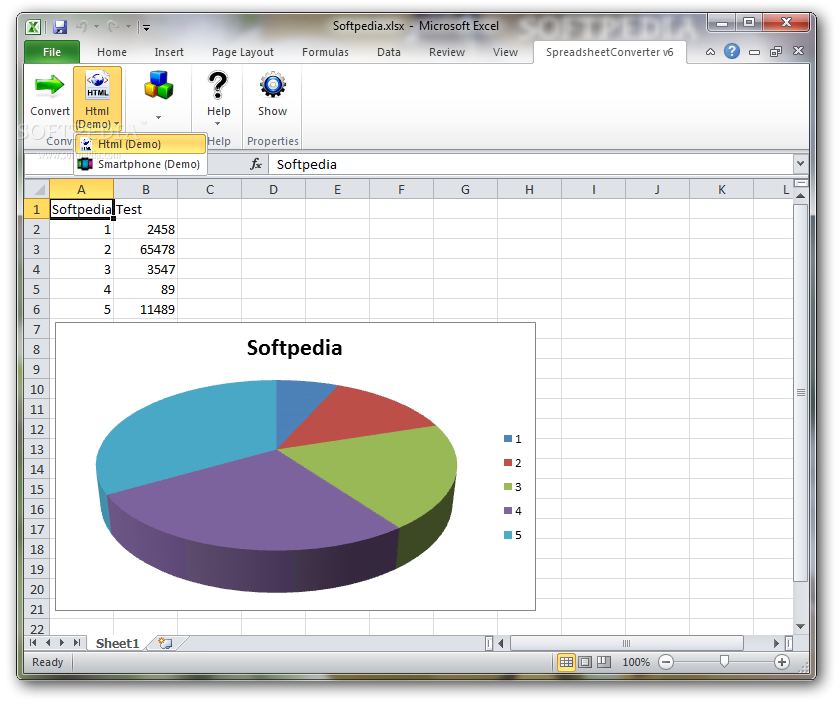
SpreadsheetConverter to HTML/JavaScript 5.1.37

 Convert MS Excel spreadsheet into good-looking calculating web page. No plugins.

Use SpreadsheetConverter to HTML/JavaScript to create online calculators without the help of a programmer.

At last you can create online calculators without the help of a programmer. All you need is Microsoft Excel. Calculate on the WEB. Convert MS Excel spreadsheet into good-looking calculating web page. No plugins.

Using this unique software, everyone can create interactive and calculating webpages. Solve your problem using Microsoft Excel, and let SpreadsheetConverter convert it to HTML with embedded JavaScript. No programming. Supports 180 Excel-functions.

Use it for expense report, survey, order forms, reservation forms, employment application, financial advisor, ROI-calculator, engineering.

Here are some key features of "SpreadsheetConverter to HTML/JavaScript":

· Instantaneous response: All calculations and validations are done immediately. Everything is done in the browser. No communication with the web server.
· Live line, bar, pie, XY, radar, and column charts.
· Flawless number formatting: If you set the format in Excel, all entered data is directly formatted.
· Easy to use web pages: Create forms with dropdown menus, checkboxes, radio buttons, large text fields, list boxes in a breeze.
· Perfect looking web pages: Inherits the formatting from Excel: font, size, color, borders, border types, images. The web page looks just like the Excel spreadsheet.
· Excel isn't needed. Once the web page is create, Excel is not required. Your web server doesn't need Excel, and your users don't need Excel.

Requirements:

· Microsoft Excel 2000, XP, 2003, 2007
· Pentium II
· 128 Mb Ram
· 50 Mb disk

Limitations:

· 30 days trial
· Only cells on the first 10 rows on the first sheet will be shown on the resulting webpage.

What's New in This Release: · More functions, better tooltips, Firefox support, copy resulting calculator into template web page.


Download
SpreadsheetConverter to HTML/JavaScript 5.1.37 
05:12 | 0 Comments | Read More

Mozilla Lightning Project 1.0 Beta 2 RC1 / 0.9

Written By Unknown on 3 Jun 2010 | 17:39

Manage your daily schedule directly within Thunderbird or SeaMonkey

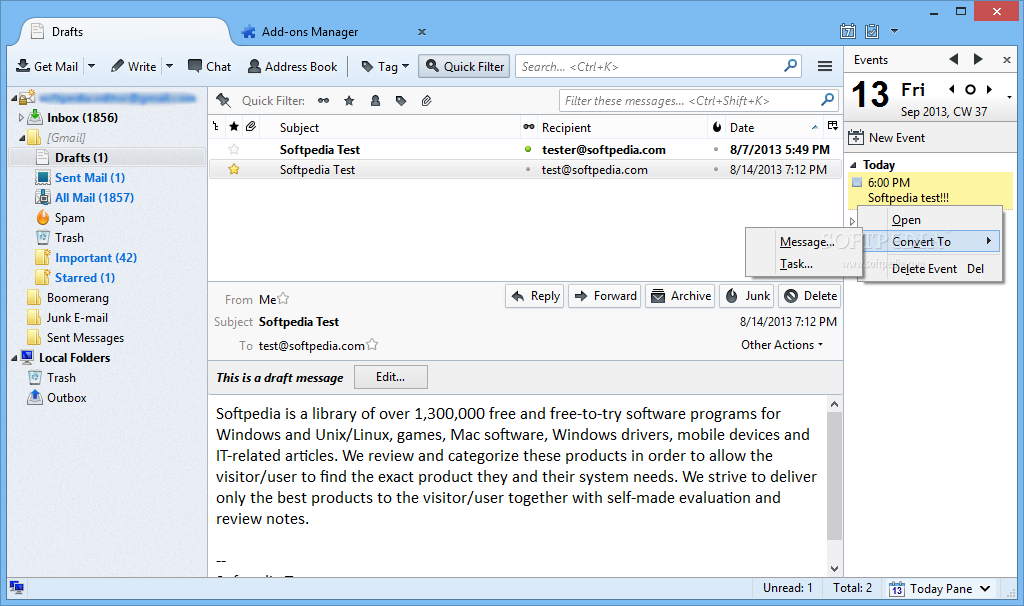
Lightning brings the Sunbird calendar to the popular email client, Mozilla Thunderbird and the SeaMonkey internet application suite. Since it's an extension, Lightning is tightly integrated with Thunderbird or SeaMonkey, allowing it to easily perform email-related calendaring tasks.

All in all, this extension will offer you the possibility to manage your daily events or tasks directly within Thunderbird or SeaMonkey.

Requirements:

· Pentium 233 MHz (Recommended: Pentium III 500MHz or greater)
· Windows 7, Windows Vista, Windows XP: 786 MB RAM (Recommended: 1GB RAM or greater)
· 10 MB hard drive space
· Mozilla Thunderbird 3.0b4 – 3.0.*
· SeaMonkey: 2.0b2 – 2.0.*

What's New in This Release:

· Seamless integration into the new Thunderbird 3.0 user interface

· The different modes (calendar view, task view) are now diplayed in tabs

· Lightning now supports SeaMonkey 2.0 as a host application

· You can now define multiple alarms for a single event

· CalDAV support and interoperability with various CalDAV servers has been improved

· The application stability, performance and memory consumption has been improved


Download
Mozilla Lightning Project 1.0 Beta 2 RC1 / 0.9
17:39 | 0 Comments | Read More

Portrait Professional 9.7.3

An application that allows anyone to look great in a photo

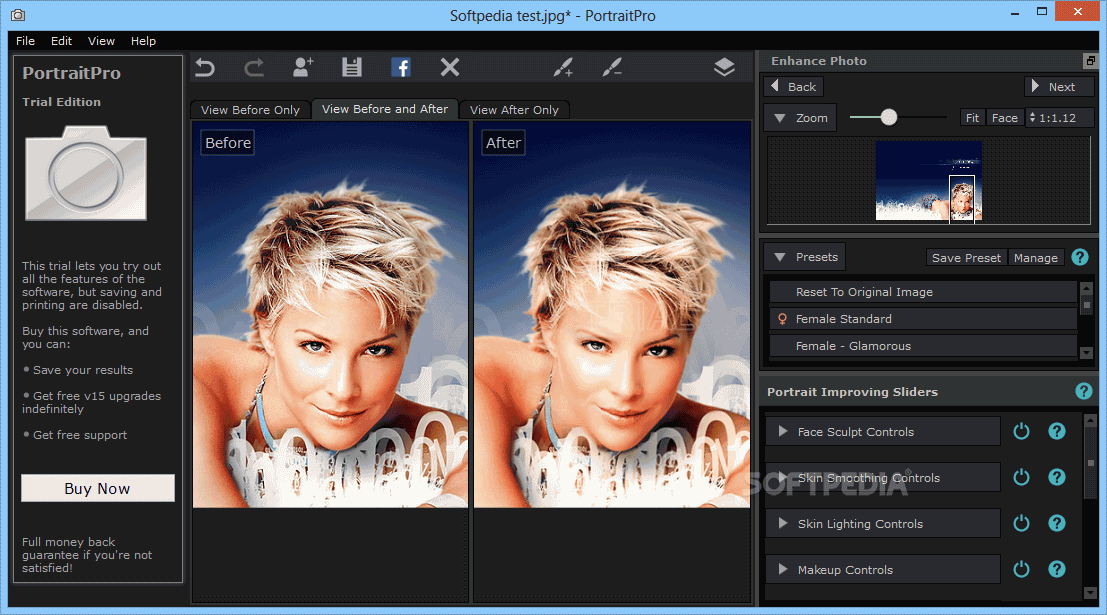
Portrait Professional is a sophisticated computer program that has been trained in male and female beauty. The software has been shown hundreds of examples of beautiful photographs of human faces, and using sophisticated statistical techniques, it has learnt how to subtly enhance photographs to make them more beautiful.

What does this mean for you? It means that you can give your photographs an automatic "celebrity makeover" correcting the lighting and makeup, removing blemishes and generally making your subject look as good as possible.

Portrait Professional is a painting program that will not require any artistic skill. All you have to do is identify some points on the photo - such as the corners of the eyes, and the edges of the lips - and the software then calculates how to make your subject look their absolute best.

The software has been trained in all aspects of beauty. It allows you to choose how much to enhance the lighting, the skin texture and even how many wrinkles to remove. It even allows you subtly re-sculpt the face to make your subject look as good as possible.

Portrait Professional enhances people in the same way that good lighting and perfect makeup is used to make someone look more attractive. The software lets anyone look as good as a celebrity in a magazine.

Here are some key features of "Portrait Professional":

· Face Sculpting
· Airbrush
· Skin toner
· Lighting regulation
· Shadow control
· Highlight control
· White balance
· Eye whitening
· Teeth whitening
· Spot removal
· Red-eye removal
· Free upgrades for 6 months
· Support for 8 bits per color channel images
· (JPEG and TIFF formats)
· Support for 16 bits per color channel images
· Reads RAW image files

Limitations:

· Watermark on image
· You cannot save your work in the demo version.

What's New in This Release:

· Smooth, recolor and thicken the hair
· Control the eyes and mouth in much greater detail
· Change the eye color of the subject
· Save and use multiple changes at once with Saved Slider configurations
· Improved User Interface: Help, Tutorial and Undo functions making Portrait Professional the easiest to use photo-editing software available


Download
Portrait Professional 9.7.3
17:14 | 0 Comments | Read More

XEditor 3.1.2

View, validate, edit and print the contents of X9.37 Image Cash Letter files

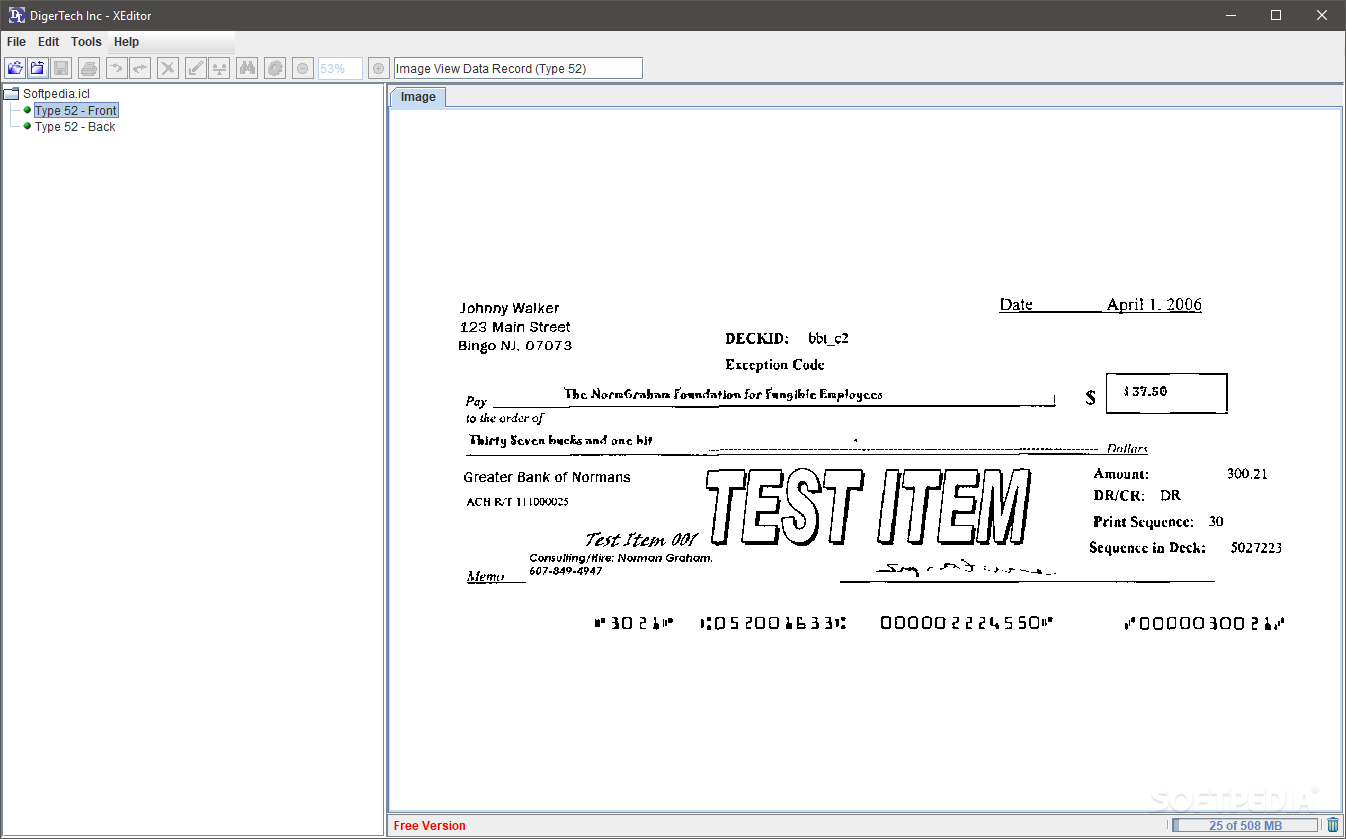
The XEditor is a Java tool which allows users to  view, analyze, validate, edit and print the contents of X9 Image Cash Letter files.

You can view the record field and check image of Image Check Data (Type 52) records within an X9 Image Cash Letter file. With the Image Validation plugin, view and validate images in the ICL files according to the X9.100-181 (TIFF) standards.

Here are some key features of "XEditor":

View:
· ICL records and fields
· Check images within items:front and back
· Zoom in/out check images
· Customize displaying field information: name, usage, position, size and type.

Analyze:
· The content and format of ICL files
· Highlight errors in red balls or warnings in yellow balls
· Save errors and warnings to CSV file

Search:
· Find a specific record or field regardless of contents.
· Find any value in the file
· Find a specific record or field regardless of contents.
· Find any value in the file

Print:
· ICL record content
· Check Image
· ICL record content
· Check Image

Edit:
· Change or delete record and field value
· Fix standards validation errors
· Manually or automatically balance
· Undo or redo changes

Delete:
· Item
· Bundle
· Cash Letter

Save:
· Save file to ASCII or EBCDIC encoding
· Save file to big endian (Motorola ) or small endian(Intel)

Requirements:

· Java SE Runtime Environment (JRE) (Java SE Development Kit (JDK)) 1.5 or high level

Limitations:

· 7 days trial


Download
XEditor 3.1.2
16:56 | 0 Comments | Read More

Magitime 3.1 b97

Written By Unknown on 29 May 2010 | 21:48

A tool to add date/time to digital photos (JPG), date stamp, time stamp to digital photos.
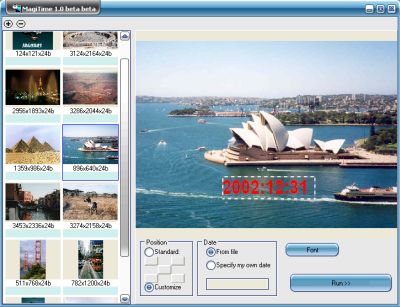
For most of today's digital cameras the photos are saved in JPG files. The date and time at which a photo is taken are stored along with the image in so called EXIF format. Such date and time information can be viewed on a PC once the JPG files are transferred from the digital camera to the PC. When you make a hardcopy of a digital photo by using a color printer or by sending it to a photo lab, the date and time do not get printed on the hardcopy photo. By using Magitime, the date and time are extracted from the JPG files and superimposed onto the photos. This way when a hardcopy is made from the JPG file, the date and/or time will show up on the photo.
MagiTime is designed to work for JPG photo files( the most popular digital camera output file format) only, it may work for EXIF conformed TIF photo files, but not for photo files of other formats.


Download
Magitime 3.1 b97
21:48 | 0 Comments | Read More

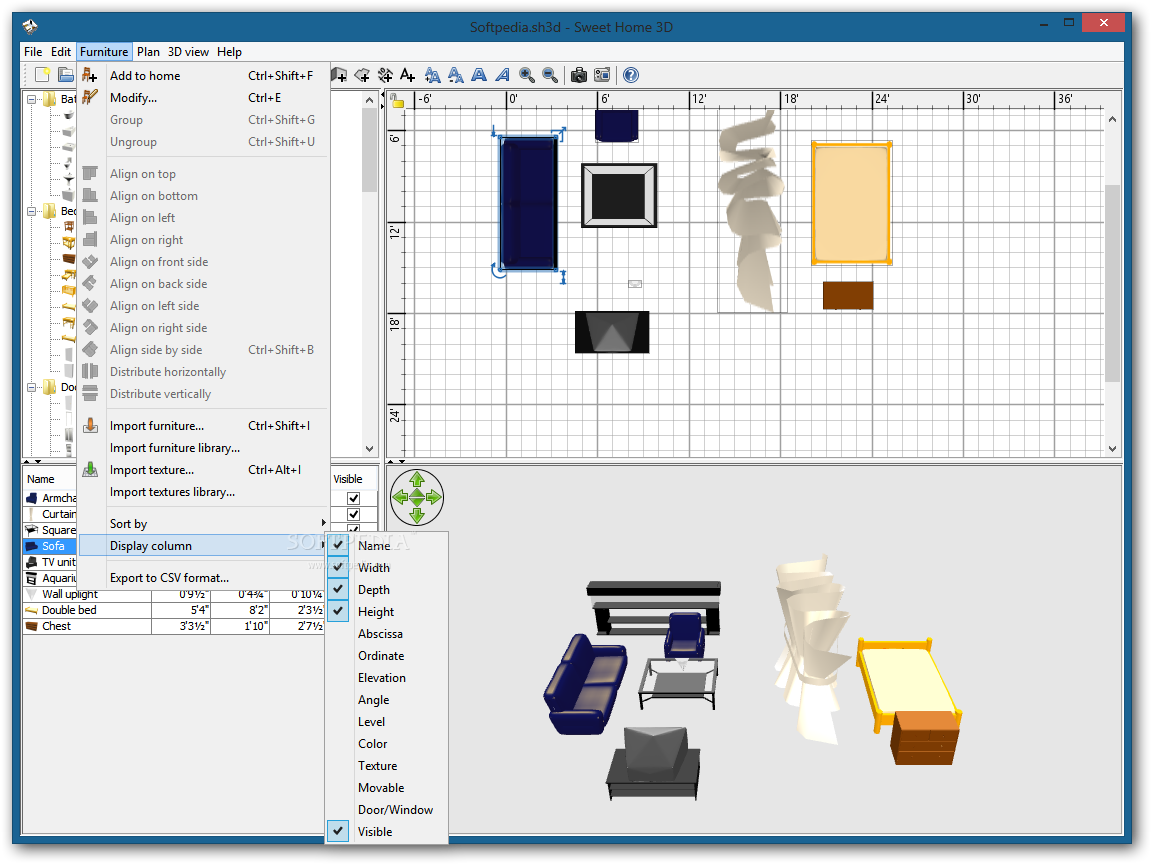
Sweet Home 3D 2.4

Written By Unknown on 26 May 2010 | 10:45

An application meant to guide you towards creating the house of your dreams

Sweet Home 3D is an interior design application that helps you placing your furniture on a house 2D plan, with a 3D preview.

It will help you turn the tedious job of finding the best furniture location into a fun experiment.

Requirements:

· Java Runtime Environment

What's New in This Release: [ read full changelog ]

· Added DAE/Collada format to the file formats supported by furniture import wizard, to be able to import the 3D models proposed on Google 3D Warehouse.
· Added support for transparency in PNG/GIF images applied as texture to 3D models.
· Displayed the lines defined in OBJ and DAE files.
· Fixed 3D rendering to ensure OBJ files created from the exportation of the 3D view keep the same look when imported.
· Modulated texture illumination according to ambient lights (caution, this may change the brightness of images displayed in existing SH3D files).
· Fixed a bug that moved out of center some imported 3DS models.
· Fixed a bug that made an imported OBJ file lose its colors when its name contained non ASCII letters.
· Fixed a bug that prevented overlapping floors from being correctly displayed.
· Fixed a bug that didn't restore correctly the saved location of view splitters for maximized windows.
· Optimized memory used by 3D models.
· Modified installation process of Sweet Home 3D with Ja...


Download
Sweet Home 3D 2.4
10:45 | 0 Comments | Read More