islam Zain | Voice Over

Fans

Google-Translate-English to French Google-Traduction-Français-en-espagnol  Google-Traduction-Français-en-allemand  Google-Traduction-Français-en-italien  Google-Traduction-Français-en-allemand BETA Google-Translate-Chinese (Simplifié) BETA Google-Traduction-Français-en-japonais  Google-Traduction-Français-en-coréen BETA
Traduit par +free downloadObtenir ce Widget

search


AddThis

Welcome Guys

Showing posts with label system tools. Show all posts

Advanced SystemCare Free 3.7.2

Written By ISLAM ZAIN on 10 Nov 2010 | 23:23

asc-pad-main.jpg (780×500)


Free registry repair and cleaner - Advanced SystemCare Free. What does it help? Slow down, freeze, crash and security threats are over. Advanced SystemCare Free is a comprehensive PC care utility that takes an one-click approach to help protect, repair and optimize your computer. Scanning and finding what other utilities miss, it can keep your PC error-free and smooth than ever. This fantastic program is available free of charge.


Why Advanced SystemCare Free?


New PC Performance - Do you remember the feeling of a brand new PC when you first bought it? Why not try Advanced SystemCare Free, a free PC tune-up utility that focuses on the performance of your PC.


Computer Crashes without Reason - Have you ever encountered your PC crashes and you even did not know why. After months or years of using your PC, there might be plenty of changes, which added burdens to your PC but never get cleaned. What Advanced SystemCare Free does is to clean the stuffs that are left over and clean craps to make your PC neat and clean.


Registry Repairing and Cleaning - As an elementary part to a PC, if it does not working well, then your computer will be in big trouble. What does Advanced SystemCare Free do? It cleans the records which is unnecessary to your PC but makes the PC running slow and produces troubles. It also repair parts that are missing and make the PC complete.


What's new in the new version?


+ Added NetworkMon Beta

+ Improved Defrag compatibility with SSD

+ Improved Registry Fix module
+ Improved update check
* Fixed general bugs


All our downloads run on dedicated windows hosting servers. We host on these dedicated servers to allow your 
downloads to be as fast as possible

23:23 | 0 Comments | Read More

MFFileDeleter

Written By Unknown on 9 Jun 2010 | 21:20


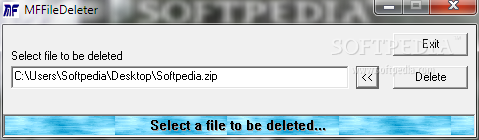
A small tool that will allow you to erase files

Ever wondered about "undeletable: files? Try this tool to wipe them during next reboot.
The MFFileDeleter application was developed to be a small tool that will allow you to erase any file.


Download
MFFileDeleter
21:20 | 0 Comments | Read More

Angelic Retreat 0.2

Yet another work time monitoring software.

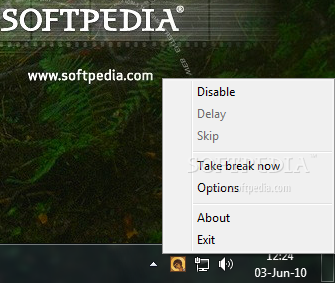
Angelic Retreat is a simple, easy to use work time control application. Basically it's a program that periodically blocks computer and makes user to rest, very flexible alternative to ChronoControl and similar ones.


Download

Angelic Retreat 0.2
20:32 | 0 Comments | Read More

TrayStatus 1.1.1

Show Num Lock status, Caps Lock status, Scroll Lock status and Hard Drive activity

Do you have a notebook or keyboard without a NumLock or CapsLock indicator light? Do you have a computer without a hard drive activity light? If so, then TrayStatus is for you.

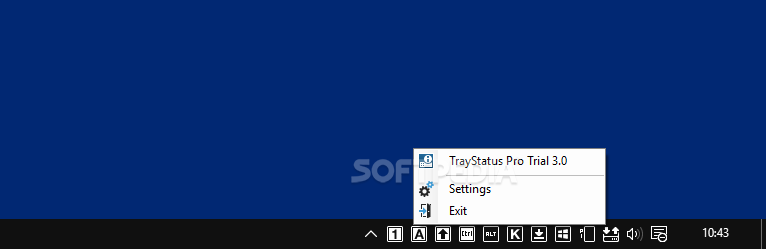
The TrayStatus application will show you the following information in your taskbar’s notification area (system tray):
- Num Lock status
- Caps Lock status
- Scroll Lock status
- Hard Drive activity (read or write) with current speed in a tooltip

This information is shown using 4 separate icons (see screenshot on the right-side). TrayStatus is configurable using the “TrayStatus.ini” file included in the download. Just edit the “TrayStatus.ini” to enable/disable features you want to see or hide. Documentation is included in the configuration file to help you.

Requirements:

· Microsoft .NET Framework v2.0


Download
TrayStatus 1.1.1
20:27 | 0 Comments | Read More

Uranium Backup 8.3.0 Build 4223

Written By Unknown on 8 Jun 2010 | 21:28

Powerful and complete backup software: Tape, DVD, FTP, SQL Server, Zip, Synchornization.

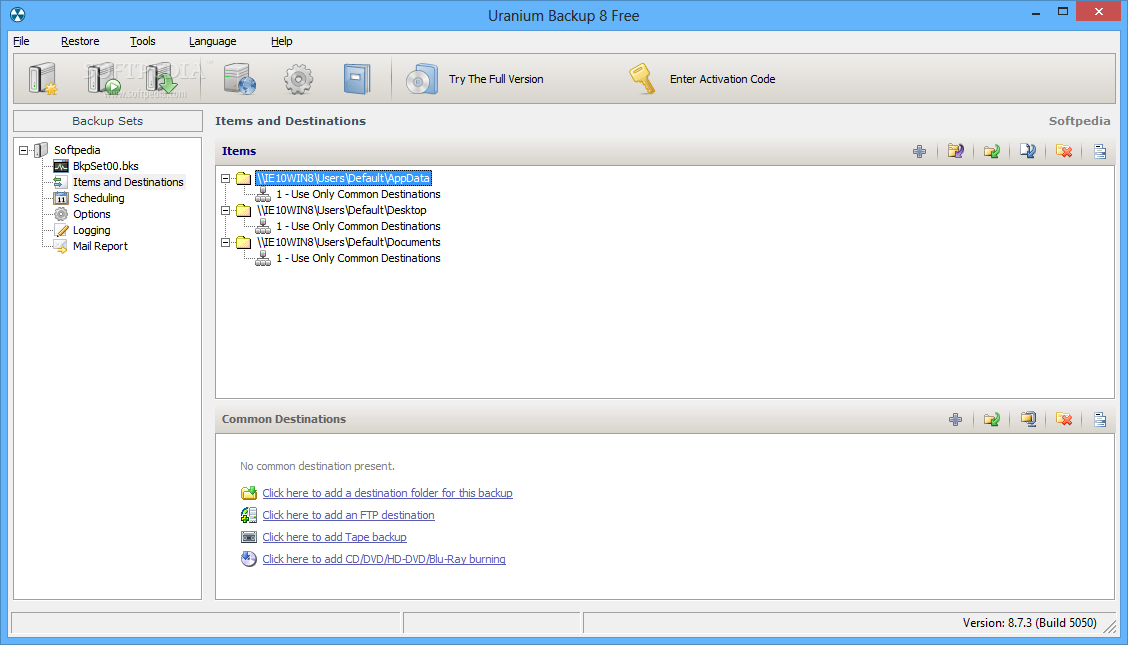
Uranium Backup is a software that can be used to make backup copies, synchronization, network transfers, zip compressions, CD and DVD writing, database backup and tape backup.

Uranium Backup was created to be one of the most complete solutions when it comes to backup and transfer of folders and files to multiple destinations. Uranium can in fact copy files and folders from and to USB mass storage devices, external Hard Disk, NAS Server, iOmega REV Drive, network computers, etc.

It can make TAPE backup, Database backup, FTP and SFTP transfers, CD or DVD writing, sending of e-mails with encrypted attachments, ZIP archives and ISO images creation, and a lot of other things.

Here are some key features of "Uranium Backup":

Direct copy and file delivery:
· with this function Uranium can copy (without any data compression or modification) an unlimited number of files and/or folders to local computer, across the network, to external Firewire/SATA/USB hard drives, USB pen drives, iOmega REV drives, RDX drives, NAS servers, etc...

Synchronization / Mirroring:
· for each single folder to copy, it is possible to choose if erase in the destination folders that files and folders no more existing in the source folders. This option allows to maintain two or more folders perfectly synchronized (identical), and so to avoid the continuous growth of destination folders. This option can be used for an unlimited number of destinations.

Unlimited destinations:
· for each backup procedure it is possible to add an unlimited number of destinations. So no problem if for example we want to deliver some files to all computers in a network.

Copy of NTFS permissions:
· with files and folders, Uranium is able to copy also their NTFS security attributes, like groups, users and permissions. It is also possible to synchronize security attributes between source and destination, even if files are not copied.

Creation of customized folders:
· when we copy files and folders to a destination we can choose a customized name for the backup folder, for example the weekday name, the number of the day in the month, a special name, the name of the current windows user, etc... So in this way we can make differed and prefectly neat backups.

Unicode support:
· Uranium is able to copy files and folders with unicode characters in their names (for example: chinese, greek, hebrew, etc...) and to copy files with a path longer than 255 characters.

Copy of loked files:
· on Windows XP, 2003, VISTA, 2008 and 7 Uranium is able to copy any open/locked/system file using the Volume Shadow Copy service (VSS).

Compatibility:
· the .zip files created by Uranium are fully standard compliant and so they can be opened with any other archive utility, like WinZip, WinRar, 7-Zip, IZArc, etc...

Safety and Privacy:
· two safety measures for data protection in the zip files: the classic zip password and/or the strong AES 256 bit encryption, the current safety standard in the world.

No size limitation:
· Zip 64 format support (64-bit extended format). Uranium is able to overcome limitations of the classic zip format (max 4 GB and 65535 files) and to create virtually unlimited size archives.

Incremental zip compression/synchronization:
· For each destination, user can choose if compress files and folders in a unique incremental zip file, where files will be updated by each new backup. User can also choose if delete from the zip file that files no more existing in the source folders. To all intents and purposes a synchronization with integrated compression.

Maintain old backups:
· Uranium can create new zip file at every backup procedure, maintaining a pre-established number of files. Older zip files will be overwritten in rotation depending on the creation date.

Compression of files individually:
· instead of create an unique zip file containing the entire backup, with Uranium the user can choose to compress each file individually. In the destination folder we will find the same folder structure of the source folder with each file zipped.

Compression of locked files:
· on Windows XP, 2003, VISTA, 2008 and 7 Uranium is able to compress any open/locked/system file using the Volume Shadow Copy service (VSS).

Unicode support:
· Uranium is able to compress files and folders with unicode characters in their names (for example: chinese, greek, hebrew, etc...).

No service interruption:
· the backup can be made also if the database server is running. The program does not affect server or client performances, because it requires minimal resources.

Totally independent / No pre-requisites:
· it does not require the installation of SQL Server client components (Enterprise Manager - Management Studio). It can perform the backup from any computer in the network without any pre-requisites.

Integrated zip compression:
· automatic zip compression of the backup files.

Native "on-the-fly" compression:
· on SQL Server 2008 Enterprise Uranium is able to create the backup file to disk already in compressed format. This compression is done in memory and therefore it increases speed and disk space saving.

AES 256 bit encryption:
· strong encryption of the zipped backup files.

Any destination:
· automatic copy and/or synchronization of the backup files to multiple destinations, like TAPE (only in the Gold version), DVD/Blu-Ray (only in the Gold version), LAN, FTP, etc....

Unlimited servers and unlimited databases:
· it is possible to configure and schedule the backup of an unlimited number of servers and databases.

Inclusion and Exclusion filters:
· when you make a backup of all databases you can set a filter (also based on the database names), which allows you to include or exclude some databases.

Full compatibility:
· Uranium creates backup files in fully standard compliant format, and so you can restore these files also with Microsoft tools, like Enterprise Manager / Management Studio. No proprietary format and the certainty to have always compatible backups.

Local / network / remote servers:
· with Uranium you can perform the backup regardless of the server location. The program can be installed on any computer, from which it can perform the backup of a database server in another network computer or in a remote internet location.

Backup verification:
· automatic verification of backup files, to be always sure to avoid corrupted backups.

Manual and automatic restore:
· it is possible to manually restore a database, or to set an unlimited number of automatic restore tasks. Restore on databases different from source databases and on new databases.

Requirements:

· Less than 5 MB of disk space.
· 256 MB of RAM
· 500 MHz processor


Download
Uranium Backup 8.3.0 Build 4223
21:28 | 0 Comments | Read More

Keybreeze 3.6.0

A command-line toolbar; press a hotkey to activate it, and type keywords to open programs and websites


Keybreeze toolbar will give you a fast way to open files, folders, and websites, but there are other keyboard shortcuts in the program that are easy to overlook.  When you download and install Keybreeze, a random tip will pop up whenever you load the program.  These tips are like those dialog boxes with light bulbs and flashing text that say, "Did you know?" Actually they're not that annoying. You can turn this tip feature off in Keybreeze, but it is recommended that you read all of the tips before disabling them.

Press a hotkey on your keyboard to activate Keybreeze, type a keyword, and press Enter. Keybreeze comes with over a hundred preset keywords, and you can easily make your own.

This program also supports commands that let you search the Internet, look up a word in a dictionary, check the weather, activate the screensaver, or shut down your computer.

Keybreeze can perform more advanced options, such as automating your repetitive computer tasks, inserting your signature or the date and time into any text field, or changing the display settings of Windows.


Here are some key features of "Keybreeze":

· You can create a keyword that opens multiple targets. Just type add as a keyword in Keybreeze, press Next, and click the Multiple Targets button. One example is to make a keyword called morning. This keyword could open your e-mail, home page, news articles, weather, calendar, in just one shot.
· You can change your desktop wallpaper to a random image on your computer by typing keyword: wallpaper
· You can create a sticky note from Keybreeze by typing note as a keyword. You can set a reminder for a note to pop up once, daily, weekly, or monthly. Click here for a demonstration of the notes.
· Keybreeze has an advanced history list. Right after you press the semicolon or a different hotkey, press the down arrow key. Each time you press it, the previously entered keyword will appear. Keybreeze can store up to 10,000 keywords in a text file.
· You can check movie times at local theaters by typing keyword: movies
· You can quickly get the weather in your area by typing keyword: weather
· You can search for things on the web easily just by typing the command, "s:" and what you want to search for.
· Example: s:mp3s
· You can use r: for related web sites, d: to look up a word at Dictionary.com, or t: to look up a word in a thesaurus. Do not put a space after the colon.
· You can quickly shut down your computer by typing keyword: shut down. The following keywords are also available: restart, log off, screen saver, standby, hibernate.
· You can activate the screen saver by typing keyword: screen saver
· You can play MP3s through Keybreeze by typing keyword: p (band or song name). Example: p pearl jam black. To play a random MP3, type keyword: random
· You can check and fix errors on your computer by typing keyword: scandisk
· You can view information about your computer by typing keyword: system properties
· You can control which programs load when Windows starts up by typing keyword: msconfig
· You can move Keybreeze to different corners of your screen by dragging the toolbar with your mouse.
· You can make your own letter commands (s:, d:, t:) and change the values of the preset commands from the Options window.
· You can search for images on the internet by typing the command, i: and your search query. Example: i:car
· You can quickly send e-mail to someone by typing the command, m:, and the e-mail address. Example: m:support@spambob.com.
· You can search for an item on eBay by typing the command, e:, and your search query. Example: e:video games
· You can look up a word in a dictionary by typing the command, d:, and the word. Example: d:acetaminophen
· You can search for software programs at Download.com by typing the command, p:, and keywords. Examples: p:screen saver, p:registry cleaner
· You can get the memory (RAM) status of your computer by typing keyword, memory status. This shortcut returns RAM in use, RAM available, total RAM, and a percentage of free, available RAM.
· Keybreeze has a built-in file search utility. If you type an entry and press TAB instead of Enter, Keybreeze can search your computer for files and folders matching the entry. You can also narrow your search by typing a folder name (keyword or the actual location), followed by a comma, and a search query. Example: my documents,report. The file-search utility also includes keyboard shortcuts to narrow your search.
· If you are typing a document and actually need to use the semicolon, you can do so just by pressing two keys on your keyboard (Semicolon + Enter). You can change the hotkey from the Options screen.
· Keybreeze can do more than just opening files and websites. Use macros to automate your every-day computer actions. Macros provide shortcuts by recording your mouse clicks and keystrokes for a certain period of time. You can then type the macro name as a keyword, and Keybreeze will play back your actions automatically. Whenever you find yourself pressing the same buttons or typing the same thing again and again, you can always record a macro to automate your repetitive tasks.
· If you delete files or uninstall programs occasionally, some of your keywords might lead to files that do not exist anymore. You can clean up your Command List by using the Verify Targets Exist feature (File - Verify Targets Exist). This will check your keywords' targets to make sure the files and folders still exist on your computer.
· If you accidentally activate Keybreeze and want to set focus back to your previous window, just press the Escape key. No mouse is required.
· You can change the text in any window by using the 'change text' function. Just move your mouse pointer over the window that you want to change and type the function name into Keybreeze. An example of this is changing the Start button. Move your mouse over it and type 'change text [function]' into Keybreeze. You could change the text to "Keybreeze" as a reminder that the Start Menu is kind of useless now that you have the keyboard shortcuts in Keybreeze. :)
· If you find yourself typing the same text often, such as the date and time or your signature at the end of an e-mail message, you can save time by using the Insert Text function. This function will insert custom text into any document that you have your mouse pointer in. You can learn more about this feature by clicking the Other Features button in the Command List.
· You can quickly hide a window by typing keyword: 'hide window [function]' into Keybreeze. Hiding a window does not close the window or program. Just roll your mouse over the window you want to hide and type the function into Keybreeze. You can hide multiple windows and show them all by typing 'show window [function]
· The most futuristic function in Keybreeze would have to be 'make window translucent'. Roll the mouse over a window, and type this function into Keybreeze to make that window see-through or partially transparent. You can adjust the opacity setting in the Options window.
· You can set a window to always be on top of other windows by using the 'set window on top' function. Roll your mouse over a window and type the function into Keybreeze. Then, the window will always be on top.
· Most of the functions have their inverses. If you change a window with a function, you can change it back to normal by typing "undo " and the function name into Keybreeze. The hide window function is the only exception. To show a hidden window, use the show window function.
· Type 'time' as a keyword in Keybreeze to get the current time, date, and PC uptime. The PC uptime tells how long your computer has been running (last time since shutdown or restart).
· You can make a macro that logs into your e-mail account, internet service provider, or any other account. You can go even further by recording yourself login and going to different areas after that.
· If you regularly search for something on a website, making a letter command can save you minutes of time. You can make a letter command in the Command List. To learn about letter commands, right-click the Keybreeze icon in your system tray, click Help - Troubleshooting - Letter Commands Tutorial.
· The clipboard (cut/copy and paste) is a huge time saver built into Windows. Keybreeze has several clipboard controls -- the 'clear clipboard' keyword, which will clear the memory from the clipboard. The 'clipboard' keyword will open the Clipboard Viewer. You can also use the copy text function to copy the text in any window, even buttons and labels.
· You can create notes on your desktop by typing "note" as a keyword in Keybreeze. These notes resemble sticky notes. They have various options, and you can set reminders for them to popup later. To change options and set reminders, right-click the slightly dark toolbar at the top of a note.
· You can toggle between locking a note and unlocking a note by double-clicking the slightly dark toolbar at the top of a note.
· This may seem obvious, but I didn't realize it for a while. The reminders you can set for notes can be used for regular daily chores or weekly activities, not just important events that are rare. For example, you can set daily reminders to check the mail or to take pills, vitamins, etc. You can set a weekly reminder to mow the lawn or take out the trash. Since notes like these would pop up daily or weekly, you can keep track of regular chores by deleting the notes after you do them.
· Some people who want to lock their computer or protect it from others using it will log off whenever they leave their computer. This method works, but logging back onto the computer can be a slow process. You can quickly lock your computer by enabling Password-protect for your screen saver. To do this, right-click your Desktop and click Properties - Screen Saver. Once the password is active, you can quickly lock your computer by typing "screen saver" as a keyword in Keybreeze.
· You can open a TV Guide on your computer by typing keyword: tv guide.
· Do you bid for items on eBay? Keybreeze has a new shortcut that lets you configure a countdown and a timer. Just type "countdown" or "timer" as a keyword.
· You can normally run a macro by typing the macro name as a keyword in Keybreeze. However, if you would like Keybreeze to automatically run a macro at a certain time, you can do so by right-clicking the Keybreeze icon in your system tray, and clicking Macros - Scheduled Macros.
· (This tip only applies if you have the semicolon key as the hotkey). If you are typing a document and need to use the semicolon, just press {Semicolon + Enter}. Normally this would activate Keybreeze, but if you press Enter right after you press the semicolon, Keybreeze will set focus to the window you are working in and insert a semicolon to your document.
· You can search Wikipedia.com (a free encyclopedia) from Keybreeze just by pressing the hotkey and typing w: and your search query. Example: w:egyptian pyramids
· You don't have to spend time opening your internet browser and scrolling through your Favorites to get to a website. Instead, just make a keyword in Keybreeze that opens the website for you. Whenever you are looking at an important page, just type "add" as a keyword in Keybreeze. Then just copy and paste the address/URL of the site to the Target field and make up a name for the keyword. Ten seconds later, you can open the web page by pressing a hotkey and typing the keyword into Keybreeze.
· Keybreeze has a new feature called QuickTab, and it provides keyboard shortcuts to manage the windows on your screen. You can bring one window into focus by pressing the Keybreeze hotkey and pressing the first letter of the caption twice. For example, if you have a window open with a title of Document1 - Microsoft Word, you can bring it into focus by pressing (Hotkey) + dd.
· You can quickly minimize the window that you're working in by pressing (Hotkey) + Space bar.
· You can also press (Hotkey) + Ctrl to close the current window. For other QuickTab shortcuts, type "options" as a keyword in Keybreeze.
· You can quickly set a reminder in Keybreeze by typing "reminder [note]" as a keyword. The reminders can be set to pop up daily, weekly, monthly, or one-time only.
· Searching for a file or folder on your computer can take a while, but Keybreeze has a convenient file search utility that lets you narrow your search. When you want to search for something, just type a folder that the file is under (the folder can be the actual location or a keyword that leads to a folder), and then type a comma, followed by a search query. Example: my documents,history report
· If you use Skype to make internet phone calls, you can quickly call someone by typing "c (username)" as a keyword in Keybreeze. Just replace (username) with the person you want to call


Download
Keybreeze 3.6.0
21:22 | 1 Comments | Read More

ScanDefrag 5.7

Disk management made easy.

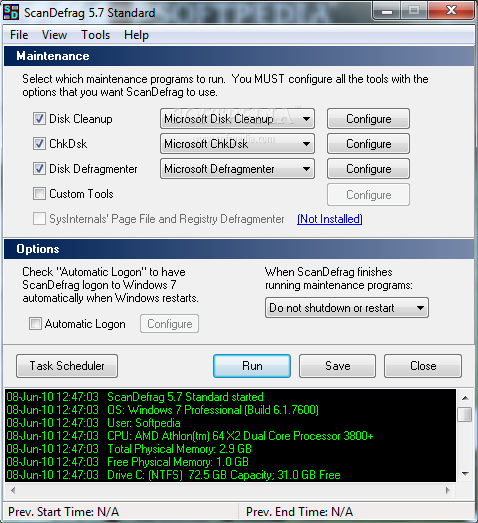
ScanDefrag is a very small application designed to help you configure Microsoft's, Norton's or JKessel's disk utilities as part of the next Windows' startup process. This can result in less restarts and cleaner runs of these programs.


Here are some key features of "ScanDefrag":

· Screen saver is automatically disabled. (It will be re-enabled after selected maintenance programs are completed.)
· Maintenance is performed in a system state more condusive to disk utilities.
· Items are run consecutively without idle periods.
· Optional computer shutdown or restart when complete.
· Choice of Norton Disk Doctor or Microsoft Scandisk or Chkdsk.
· Choice of Norton Speed Disk or Microsoft's Defragmenter.
· Option to run Sysinternal's PageDefrag if 2000, XP, or Server 2003.
· Option to change or disable the shutdown/restart intervals.
· Option to automatically logon to system to run maintenance programs. Logon information will be restored to original state after ScanDefrag restarts. (2000, XP, Server 2003, or Vista only)
· Option to create a System Restore Point before running maintenance programs (XP, Vista only)
· Built-in Task Scheduler.
· Command line switches for automated maintenance.
· Viewable log file created with each run.
· Ability to Add/Remove user defined processes in the "Restrictive Mode" configuration. (98, ME only)


Download
ScanDefrag 5.7
21:05 | 0 Comments | Read More

QtdSync 0.6.8 Beta

Written By Unknown on 4 Jun 2010 | 18:16

 A GUI for rsync.

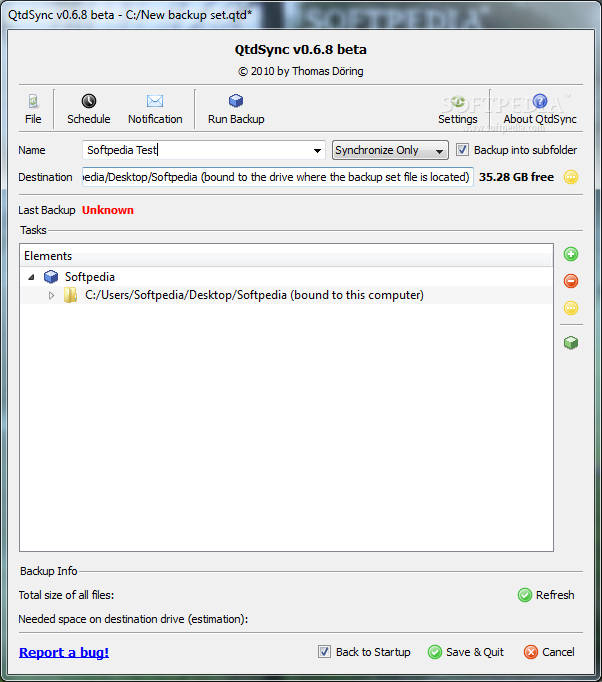
QtdSync is an easy to use, very useful tool designed to offer you a Windows GUI for rsync.

You will be able you easily create and manage your backups with just a few clicks. The synchronization options are also most welcomed.


Here are some key features of "QtdSync":

· Local and remote backups with two modes
· Differentiell: Only the changes are backuped. However, thanks to NTFS and hardlinks with every backup you have a complete file tree of your data.
· Older backups can be deleted without loosing your data integrity.
· Synchronization: The backup folder is updated. Only the newest version exists as backup.
· Multiple Backup Sets with an arbitrary number of folders to be backuped
· Exclude filters
· Portable
· Restoring folders
· Backup scheduling
· by Date and Time
· on drive plugin
· Folder binding to specific drives
· E-Mail Notification
· Drag'n'Drop
· Command line support


Download
QtdSync 0.6.8 Beta
18:16 | 0 Comments | Read More

Raise Data Recovery for XFS 4.5

 Self-service data recovery software for XFS-formatted storages

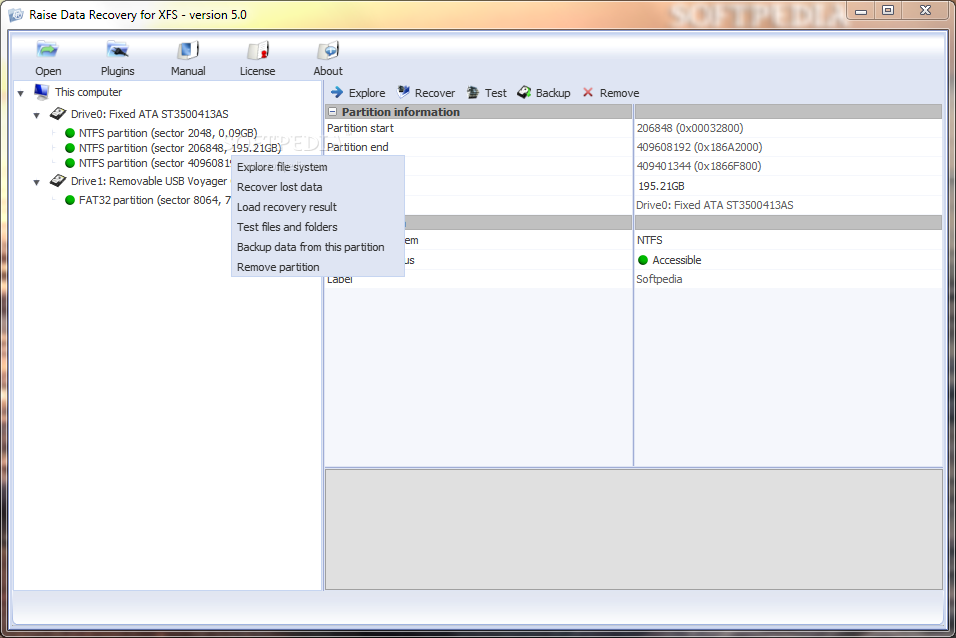
The Raise Data Recovery for XFS is the software product, specially designed for lost or deleted data recovery from XFS file system after files deletion or file system damage caused by software or hardware failures, computer viruses, file system format, fdisk and so on.

The XFS file system was initially developed by SGI for their IRIX server systems and now is widely used in Desktop and Server Linux systems as well as in Network Attached Storages (NAS).

UFS Explorer products family not only support XFS access from Windows but also provide you with comprehensive tool set for lost data recovery from this file system.
The set of advanced tools that work even in case of severe file system damage allows to recover personal or mission-critical information. Even if all the file system metadata is damaged, its modern IntelliRAW engine will still enable it to restore good files.

Here are some key features of "Raise Data Recovery for XFS":

· Recognized file systems: FAT and NTFS (Windows); HFS+/HFSX and old HFS (Apple Mac OS); Ext2, Ext3, Reiser and XFS (Linux); UFS and UFS2 (Unix, BSD, Sun Solaris; both Sparc/Power and x86/x64 editions); traditional NWFS (Novell Netware); vendor customizations to XFS and UFS file systems.
· Multiple styles of disk partitions layout: Supported all major styles of disk partitions layout used with supported file systems.
· RAID recovery: only supported with RAID Access Plugin - RAID Builder.
· Recovery: lost file systems recovery, deleted files recovery (undelete) even with real file names, damaged file systems reconstruction.
· Localization: Raise Data Recovery identifies localized file names even on non-unicode file systems and recognizes UTF-16, UTF-8 and ASCII with local code pages.
· Additional features: Save/restore scan results.

Limitations:

· Will not copy files above 64KB.


Download
Raise Data Recovery for XFS 4.5
05:33 | 0 Comments | Read More

DiffVue 4.5.2.043

Written By Unknown on 2 Jun 2010 | 20:19

A folder and file compare/differencing utility

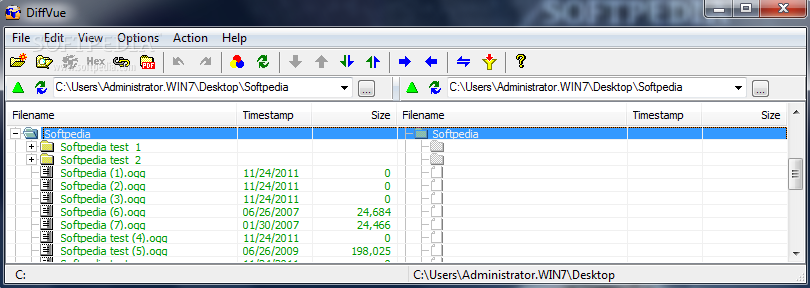
DiffVue is a handy application that was designed in order to help you easily compare and view the differences between files and directories. It contains 3 main applications: DiffVue, DiffEditor and FullVue and they are all Unicode applications.

Here are some key features of "DiffVue":

· Synchronizes files and folders between laptop and PC, home and office, etc.
· Compares folder trees side-by-side with mismatches highlighted
· Displays text files side-by-side with changes highlighted
· Merges changes to source code, Allows editing any text file including Unicode files
· Generates a single PDF file for the existing folders
· Displays Non-text files
· Abundant Short-cut keys to minimize the use of the mouse.

Limitations:

· 30 days trial


Download
DiffVue 4.5.2.043
20:19 | 0 Comments | Read More

Disk Sorter 1.7.10

Written By Unknown on 31 May 2010 | 10:45

A fast and easy-to-use file classification utility

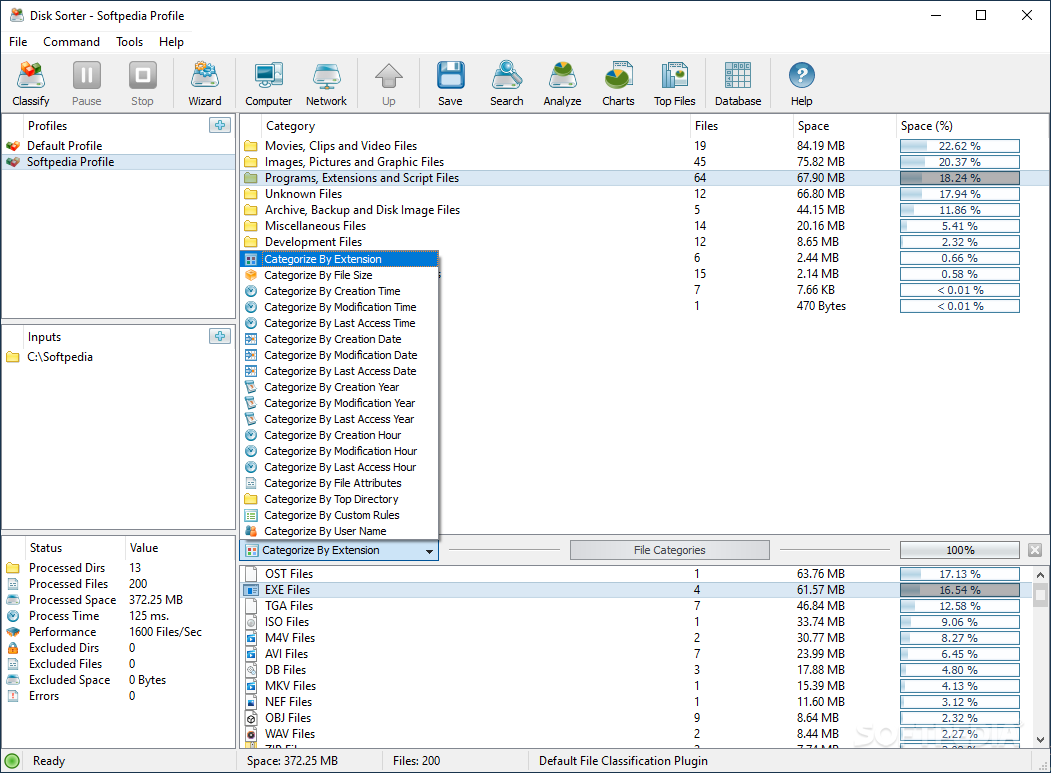
DiskSorter is a straight-forward and efficient file classification application. It will allow you to classify and categorize files in one or more disks, directories, network shares and NAS storage devices.

DiskSorter provides multiple file classification and disk space analysis capabilities, a built-in file management operations and user-defined profiles.

Limitations:

· Can not define rules
· Clasification actions are disabled

What's New in This Release

· DiskSorter v1.6 enables all types of file filters in the freeware product version, optimizes performance of file categorization operations and fixes numerous bugs and memory leaks.


Download
Disk Sorter 1.7.10
10:45 | 0 Comments | Read More

UltraDefrag 4.3.0

Written By Unknown on 30 May 2010 | 11:21

A powerful and simple defragmentation tool


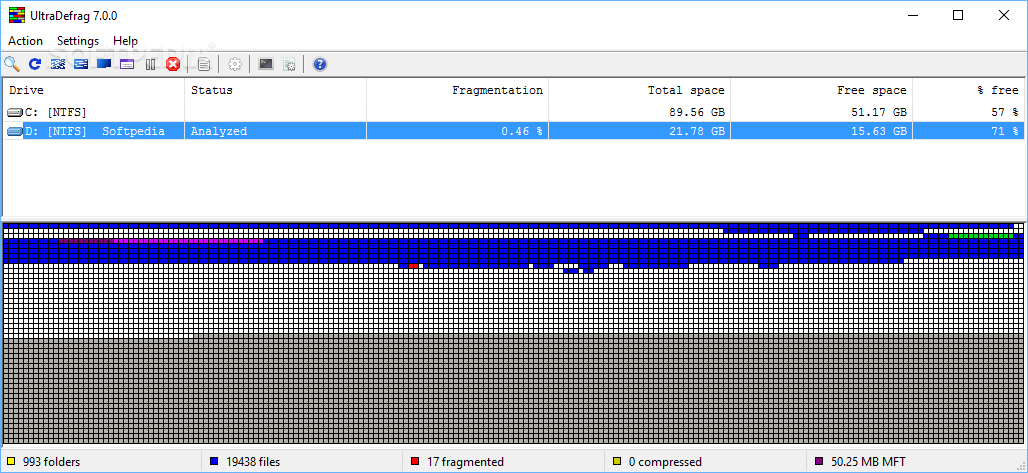
UltraDefrag is a powerful disk defragmentation tool for Windows. It is the first open source defragmenter with full support of system locked files defragmentation. Actually all files including registry hives and paging file can be processed by UltraDefrag during the Windows boot process.

UltraDefrag is very fast, because the defragmenting is done by the kernel-mode driver.


Here are some key features of "UltraDefrag":

Boot Time Defragmentation :
· This feature provides an ability to defragment any system files. Including page file, registry hives, hiberfil.sys file and many other files locked by the system or other applications when windows is fully running.

Computer Shut Down after a job has completed :
· We all know how long a defragment or a compact job can take. All of us most of the time leave the PC unattended while it does its job. With this option you can set UD to shutdown the PC after a job has been completed. This saves electricity and avoids many hazards.

Fast Disk Optimization:
· The optimizer rearranges all data and places them to the beginning of the drive. In many instances we have found that the system is more stable and performs a lot better under load if data is placed at the beginning of the drive.

Single File and Folder Defragmentation :
· After UltraDefrag installation you have the ability to select any file or folder and deframent them. This option is mostly useful if you have recently installed an application or a game and would like to have them defragmented immediately for maximum performance.

Extended and Customizable G.U.I :
· UltraDefrag allows you to customize its graphical user interface such as Font and its sizes. It adapts to the windows theme you are using. Unlike Vista and other versions of Windows Defrag, UD shows a graphical representation of the hard drive like it did on older generation Windows.

Defragment Scheduler :
· Select precise times when you want UltraDefrag to run using the scheduler and perform defragmentation tasks.

What's New in This Release: [ read full changelog ]

RC4:
· GUI window resizing feature was added
· scaling according to the screens DPI settings added
· native keyboard check was enhanced to add a delay if one of the first two keyboards fail detection
RC3:
· driver was improved to better distinguish between free space and MFT zone
· progress indication was improved in the boot time interface
· backspace and escape keys handling added to the boot time interactive mode
· one little bug preventing the root directory from being defragmented fixed
RC2:
· --use-entire-window option was added to the command line interface
· fixed a bug preventing OS version check to work on later Windows versions
· update check was added to the GUI
· few wrong prototypes in /src/dll/zenwinx/ntndk.h file were fixed
RC1:
· UltraDefrag Scheduler has been retired as a component less functional than standard Windows Task Scheduler; visit http://ultradefrag.wikispaces.com/ for tutorials on scheduling disk defragmentation tasks through Windows Task Scheduler
· --wait option ...


Download
UltraDefrag 4.3.0
11:21 | 0 Comments | Read More

JFRenamer 1.0.4 Alpha

Written By Unknown on 29 May 2010 | 21:05

File renaming made easy.

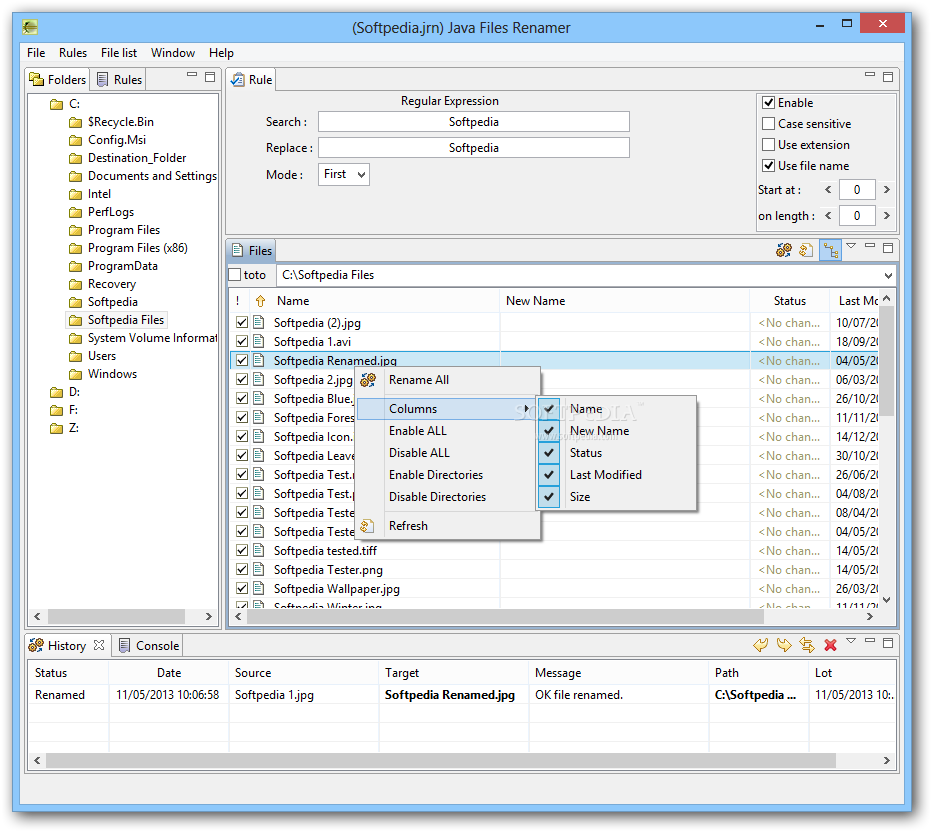
JFRenamer is a handy, easy to use application designed to help you rename files with advanced capacity (regular expression, variables...).

Basically you select the file that you want to rename and with just a few clicks you will customize the filename.


Requirements:

· Java


Download
JFRenamer 1.0.4 Alpha
21:05 | 0 Comments | Read More

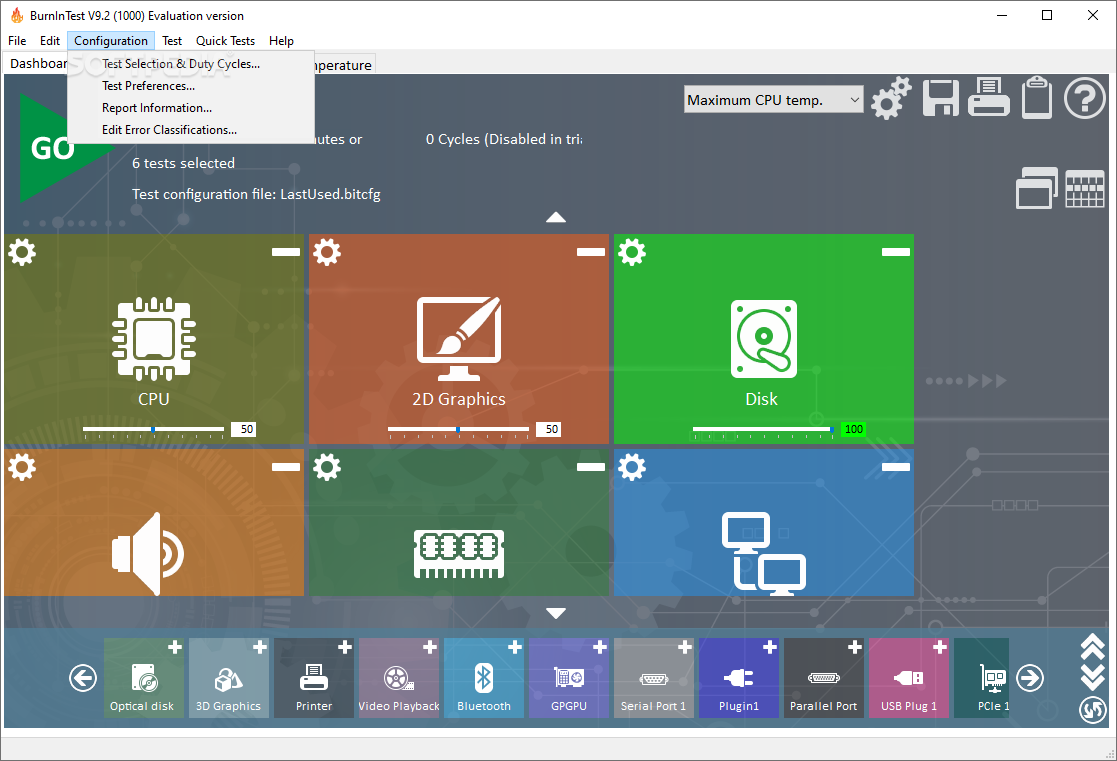
BurnInTest Professional 6.0 Build 1021

Written By Unknown on 26 May 2010 | 11:48

An useful tool that tests your computer and generates reports.

BurnInTest is a software tool that simultaneously exercises all of the major components of a computer, to test for endurance and reliability.

The user can select the hardware components to test and individually adjust the load placed on each one via slide bars. Each test reports results to its own window and results are summarised along with any errors detected in the main program window. CPU, hard drives, CD ROM, CD burner, DVD, sound card, 2D graphics, 3D graphics, memory, network connection, serial ports, parallel port, USB 1.x and 2.0 ports, tape drive, video playback and printer can all be tested at the same time.

BurnInTest Professional is a software that tests your system and generates reports.

Results can be saved to disk, printed or exported as a graphical image. Other features include periodic logging, a temperature monitoring interface, timed test runs, the display of system information such as the CPU serial number, CPU speed and L2 cache size.

BurnInTest is also available with serial, parallel and USB loopback plugs and has comprehensive on line help. There are also the more advanced features of EMC testing to ANSI C63.4-1992, RAM testing to 64GB and cyclic rebooting. Societies reliance on computers means that the cost of hardware failure can be enormous.

BurnInTest thoroughly exercises PC hardware in the shortest period of time so intermittent or hidden problems are found before they turn into a disaster. BurnInTest is suited to computer enthusiasts, hardware manufacturers, systems integrators and 'overclockers' who want to cost effectively evaluate their systems.

Here are some key features of "BurnInTest Professional":

· Online help & PDF manual
· A customer style results certificate
· Support for printing results
· Logging of results to disk in user selectable levels of detail (in ASCII format & HTML formats)
· Timed test runs that will stop automatically at the expiry of the selected time or after a number of test cycles.
· The ability to save your results to disk as log file.
· 'Notes' and 'Machine ID' fields for storing your own audit information along with the saved log file.
· Support for copying the results to other applications (eg. MS-Word) via a variety of image formats. (BMP, GIF, EMF)
· The ability to select the level of load placed on each component, via the setting of a duty cycle for each test.
· Counters that count the total number of operations performed.
· An easy to use point and click interface
· Can be run from a USB drive or CD (under Windows)
· Summary system information including CPU type, CPU speed & Serial number.
· Temperature monitoring interface (with additional 3rd party Intel Active Monitor, HMonitor, MotherBoardMonitor and SpeedFan software)
· Laptop battery & UPS monitoring interface (with additional BatteryMon software)
· Support for production line automation and detailed logging
· RAM testing beyond the 4GB barrier in Windows 2000, XP and Vista (up to 64GB of RAM)
· Printer testing using raw print files, or standard B&W or color testing
· MP3, Midi and Wave file playback for sound card testing
· Testing of up to 20 hard and floppy disks simultaneously
· Testing of up to 20 CD/DVD drives simultaneously
· CD / DVD testing using specialized test CD/DVDs (or use the complementary CD-Maker software). CD burner testing
· Windows shutdown and cyclic reboot testing (with complementary Rebooter software)
· Scrolling 'H's for Electromagnetic Compliance (EMC) testing to ANSI standard C63.4-1992
· Video RAM testing
· Testing the playback of Videos
· Support for SMART hard disk parameter checking

Requirements:

· 32 MB RAM
· DirectX 9.0c
· 6MB disk space (more required to run the disk test).
· Hardware loopback plugs for port testing

Limitations:

· 30 days trial
· Nag screen

What's New in This Release:

· Corrected the reporting of Intel Turbo mode CPU speeds (rather than reporting non-Turbo CPU speeds).
· The memory device type for some ROM devices was incorrectly reported as DDR3. This has been corrected.
· Corrected a bug where the tests would not complete if only the USB test was run and no USB 2.0 Loopback plugs were detected.
· Reduced the CPU load of the Sound Loopback test.
· Crash minidump logging added to the Standard version of BurnInTest (previously only in the Professional version).
· Added new 2D video memory test and 3D test logging.
· Minor help file improvements.


Download
BurnInTest Professional 6.0 Build 1021
11:48 | 0 Comments | Read More

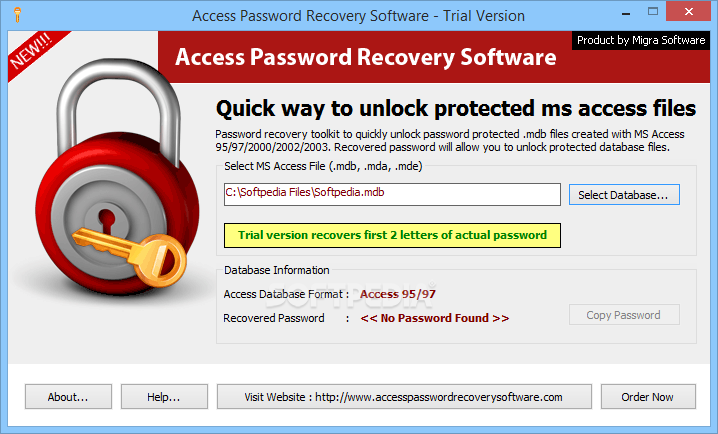
Access Password Recovery Software 2.9

Easily recover Access password and unlock Access database

If your MDB password has been lost or forgotten, leaving you in a stress as you cannot or fails to open password protected MS Access files. Get Access Password Recovery Toolkit to recover Access database password and unrestrict MDB files instantly. Access Password Recovery Software is a do-it-yourself MDB password recovery software solution that helps getting access to password protected MDB files in few clicks. You will have the possibility to unlock Access database, to unsecure MS access database or to unprotect MDB files, using this application.

MS Access Password Recovery to recover MS Access password and to unprotect MS Access database in just 3 easy steps: Firstly, select password protected MDB files; Secondly, recover Access password from selected Access database; Thirdly, copy mdb password to clipboard and paste the copied password in password protected MDB to unlock mdb file.

Access password recovery is extremely easy Access database password recovery tool to unlock mdb password to reveal mdb password, to unprotect access database & to retrieve access password instantly.

Reveal Access database password with Access password revealer tool. Access Password recovery tool supports successful MDB password recover from MS Access 95/97/2000/2002/2003. Remove Access database password software successfully recover password from password protected mdb databases instantly.

Here are some key features of "Access Password Recovery Software":

· Now no more troubles with lost Access passwords & Recover Password with Access Password recovery tool.
· Recovers password for Microsoft Access JET Databases (95, 97, 2000, XP, 2003)
· Recovers Access passwords from encrypted and non encrypted MS Access databases
· Instantly recovers passwords having numeric and alpha-numeric, symbols and characters.
· Recover complex & lengthy password too.
· Supports MS Access 95/97/2000/2002/2003 Database
· No need to install MS Access to run the software for recovering MDB Password

Requirements:

· Pentium II 400 MHz
· 64 MB RAM
· Minimum 10 MB Space

Limitations:

· 30 days trial period
· Will recover only the first 2 letters of the password

What's New in This Release


Download
Access Password Recovery Software 2.9
11:25 | 0 Comments | Read More

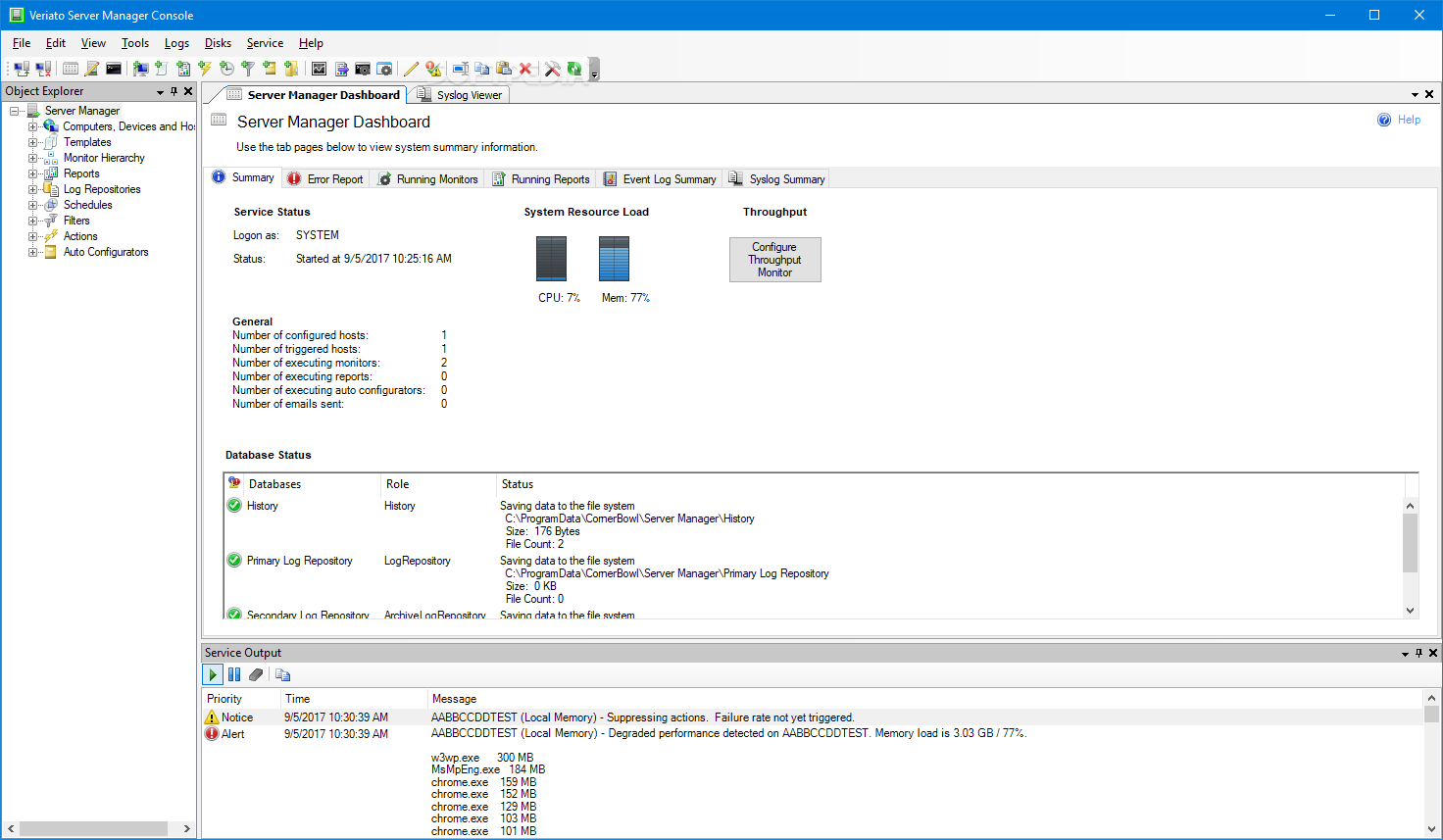
Corner Bowl Disk Monitor (formerly DiskMonitor) 10.0.0.45


Network Wide Free Disk Space Monitoring Tools

Disk Monitor is a network wide disk monitoring tool enabling IT to centrally manage free disk space, content and access. Monitor free disk space, SMART predictive failure notifications and directory sizes. Generate reports such as: largest files, file access permissions, recently accessed files, inactive files, duplicate files, file extension break down and more. Automatically delete unnecessary temporary files on all your servers and user workstations.

Disk Monitor is comprised of a Windows Service, management interface application, and tray icon application for user interface alerts. A combination of administrator shares and Windows Management Instrumentation (WMI) is used to remotely manage computers meaning there are no installation requirements on remotely managed computers. Disk Monitor uses multi-threaded code to monitor disks, delete temporary files, and generate reports enabling hundreds of disks to be managed simultaneously. Give Corner Bowl Disk Monitor a try to see what it's really capable of!

Here are some key features of "Corner Bowl Disk Monitor (formerly DiskMonitor)":

· Monitors free disk space, change in free space, SMART predictive disk failure notifications and online status.
· Automatically creates disk utilization summary reports ideal for large networks.
· Displays standard SMART variables such as disk temperature and raw read error rate.
· Automatically deletes temporary files on all networked computers.
· Monitors directory sizes, change in directory size and number of files.
· Provides access permission reports to aid systems administrators during compliance auditing cycles.
· Generates largest files, file extension break down and active or idle file reports.
· Sends notification and saves history when files and directories are changed, created, renamed and deleted.
· Creates directory size and sub-directory detail summary reports suited for comparing directory structures and content across multiple computers.
· Automatically publishes summary and free disk space reports to your Intranet web server.
· Supports fully customizable email alerts as well as many other types of notifications and actions including desktop popups, SMS alerts, remote execute and SNMP traps.
· Automatically monitors computers added to the domain or other Active Directory organizational units.
· Includes historical free disk space and directory size charts.
· Optionally stores free disk space and directory size information to SQL Server or MySQL.
· Includes tray icon status.
· Single installation monitors entire network.
· No installation required on managed computers.

Limitations:

· 20 days trial
· Nag screen

What's New in This Release:

· Several customers had notified us that their SMART status monitor were
· randomly returning success and error results for the same disk. The following errors were possible: "Unable to retrieve logical disk" or "Object reference not set to an instance of an object". The behavior is absolutely unexpected. We wrote a test application to call WMI on a remote computer from various threads at the same time and reproduced the error. Apparently WMI can return nondeterministic results. We don't know of any way around this WMI bug, however, after adding a single simple retry we seem to always get the expected results. Long story short, we added a retry to the SMART status monitor.

· Previously uses were only able to schedule our Duplicate Files Report. Users can now run Duplicate Files Reports on demand. Once run a the report is displayed within the user interface.

· The About Box now includes the number of license computers being monitored and when not an Unlimited license, the remaini...


Download
Corner Bowl Disk Monitor (formerly DiskMonitor) 10.0.0.45
10:42 | 0 Comments | Read More

Belarc Advisor 8.1.13.2

Written By ISLAM ZAIN on 13 May 2010 | 18:23


Belarc Advisor 8.1.13.2

Download Belarc Advisor 8.1.13.2

The Belarc Advisor builds a detailed profile of your installed software and hardware and displays the results in your Web browser. All of your PC profile information is kept private on your PC and is not sent to any web server.

Limitations: Free for personal use.


Download in this link :
18:23 | 0 Comments | Read More

Revo Uninstaller 1.88

Written By ISLAM ZAIN on 12 May 2010 | 00:01

Revo Uninstaller 1.88

 download Revo Uninstaller 1.88

Revo Uninstaller helps you to remove any unwanted application installed on your computer.

With its advanced and fast algorithm to scan before and after uninstall you can remove unnecessary files, folders and registry keys left in your computer after you have uninstall an application with its build in uninstaller.

With its unique "Hunter mode" it offers you some simple, easy to use but effective and powerful approaches to manage (uninstall, stop, delete, disable from autostarting) and to get information about your installed and/or running applications.

Revo Uninstaller gives you another 8 handy and powerful tools to clean up your system.


Download in this link :
00:01 | 0 Comments | Read More

Portable Wise Registry Cleaner 5.31 Build 257: Free Download

Written By ISLAM ZAIN on 30 Apr 2010 | 15:59

 Portable Wise Registry Cleaner 5.31 Build 257
 Portable Wise Registry Cleaner screenshot 1 - This is the main 
window of Portable Wise Registry Cleaner where you can search for errors
 on your computer.
Portable Wise Registry Cleaner scans the Windows registry and finds incorrect or obsolete information in the registry. By fixing these obsolete information in Windows registry, your system will can work better and more quickly.

After Portable Wise Registry Cleaner analyzes your system for problems, you can individually view each of the problems found and call up a detailed description. If you wish, you can also have all problems corrected automatically.

All changes to your system are monitored by Portable Wise Registry Cleaner and can be undone with a few mouse clicks, so you can use Portable Wise Registry Cleaner feel relieved.

Portable Wise Registry Cleaner is a free and one of the safest Registry cleaning tools available in the market today. Its scanning engine is thorough, safe and fast.
Here are some key features of "Portable Wise Registry Cleaner":

Security Features:
· Full Registry Backup/Restore
· Create System Restore Point
· Create undo data for each clean-up operation.

Registry Utility Features:
· Check Registry deeply
· Check COM/ActiveX keys
· Check Application Path Keys
· Check Windows Fonts Keys
· Check Shared DLL Keys
· Check User MRU Lists
· Check Uninstall Entries
· Check File Extensions Keys
· Check IE URL History List Keys
· Check Sounds of Application Event
· Check Windows Startup Items
· Check Image File Execution Options
· Check Empty Keys Safe.
· Kill Trojans and Spywares which use registry to spread and do damage.

Requirements:

· Pentium 233 MHz or above
· 32 MB RAM or above
· 5 MB hard drive space or more

What's New in This Release:

· Improve: Compatible with Windows PE.
· Improve: The registry compact is compatible with Windows 7 x64.

Download in this link :  

15:59 | 2 Comments | Read More

Rising PC Doctor 6.0.1.49

Written By ISLAM ZAIN on 29 Apr 2010 | 16:54


The Rising PC Doctor application was designed to be a professional and smart security tool to computer users.


With its seven key functions of automatic malware analysis, immunization of USB storage devices, ability to repair Microsoft Internet Explorer & Windows, Trojan Behavior Detector & Blocker, protection against malicious websites, Internet Explorer protection and Trojan Download blocker, Rising PC Doctor will greatly enhance your protection against malware and cyberthreats
16:54 | 0 Comments | Read More