islam Zain | Voice Over

Fans

Google-Translate-English to French Google-Traduction-Français-en-espagnol  Google-Traduction-Français-en-allemand  Google-Traduction-Français-en-italien  Google-Traduction-Français-en-allemand BETA Google-Translate-Chinese (Simplifié) BETA Google-Traduction-Français-en-japonais  Google-Traduction-Français-en-coréen BETA
Traduit par +free downloadObtenir ce Widget

search


AddThis

Welcome Guys

LightLogger 1.3.24

Written By Unknown on 3 Jun 2010 | 17:52

Monitoring software that allows you to keep track of what is happening on your computer.

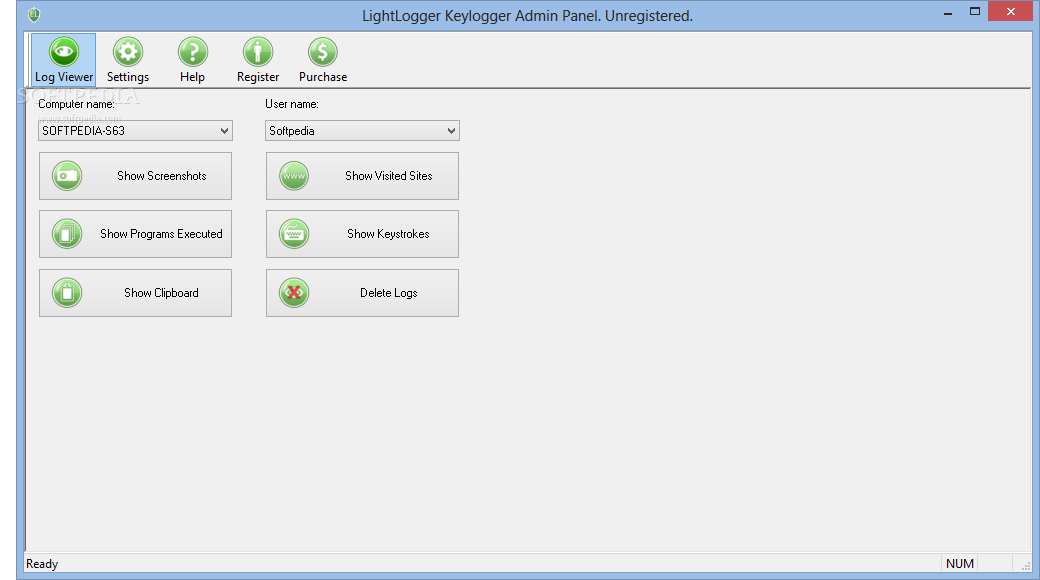
LightLogger is a spying and computer monitoring software for recording activity on a PC. Monitoring software allows monitoring of family, friends and co-workers.

LightLogger is a computer spy software that invisibly creates a log file to track keystrokes typed, emails, chats, system and other passwords. LightLogger monitoring software starts at a low level that allow you to make logging even when an anti-keylogger is installed.

The screenshots made by LightLogger can be viewed as a HTML document. To view the logs using shortcut menu Start->Programs->HeavenWard->LightLogger->Show Logs

Here are some key features of "LightLogger":

· Logs all keystrokes, is case sensitive (keystroke logger)
· Multi-language support
· All the information is stored in the log file including system passwords, ICQ, MSN, Yahoo, IAM, Skype messages and e-mail clients
· Generates the report in the html format
· The password fields are shown with the picture
· Support special characters like [BACK], [CTRL], [DEL] and others


Download
LightLogger 1.3.24
17:52 | 0 Comments | Read More

pulpTunes 1.3.0 Final

The Web Server for iTunes

pulpTunes will allow you to access your iTunes music library from anywhere, through a web browser.

Here are some key features of "pulpTunes":

· Take your iTunes with you
· You've got a huge music collection in your iTunes at home.
· You want to access that music from the office, at a friend's party, or let other people hear it from anywhere in the world.
· Install pulpTunes and access your music from anywhere, through a web browser.

· Works on Mac, Windows and even Linux!
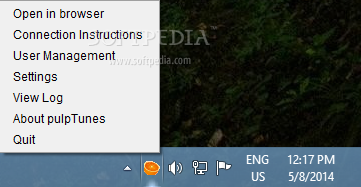
· After started, a little orange will appear in your tray (as shown to the left), and you'll be given your machine's IP address.
· To access your music from outside your home network, just point any browser to that address.
· For Linux environments (where iTunes is not available) you just need an iTunes XML file which points to the music files.


· Simple to use, yet powerful
· Supports MP3 and AAC (M4A) files
· Download songs with a right-click
· Displays cover art if found
· Generate direct links to songs or playlists to send to your friends
· iTunes DJ integration (formerly called Party Shuffle)
· Adjustable buffer level: useful for slow connections

· Advanced Features
· Command-line mode for server environments
· Detailed logs
· Customizable footer

Requirements:

· Java 1.5 or later, on the server side.
· Flash plugin required on the client (browser) side. Version 9 as a minimum to be able to play AAC (.m4a) files.
· Internet Browser
· iTunes

What's New in This Release:

· Improved automatic router configuration, select initial playlist, and other goodies.


Download
pulpTunes 1.3.0 Final
17:48 | 0 Comments | Read More

Google Search Mini 1.03

Allows you to easily Search Google from your sidebar

The Google Search Mini sidebar gadget was developed to be a small tool that will allow you to easily Search Google from your sidebar.

Google Search provides more than 22 special features beyond the original word-search capability. These include synonyms, weather forecasts, time zones, stock quotes, maps, earthquake data, movie showtimes, airports, home listings, and sports scores.


Download
Google Search Mini 1.03
17:47 | 0 Comments | Read More

Keybreeze 3.5.3

A command-line toolbar; press a hotkey to activate it, and type keywords to open programs and websites


Keybreeze toolbar will give you a fast way to open files, folders, and websites, but there are other keyboard shortcuts in the program that are easy to overlook.  When you download and install Keybreeze, a random tip will pop up whenever you load the program.  These tips are like those dialog boxes with light bulbs and flashing text that say, "Did you know?" Actually they're not that annoying. You can turn this tip feature off in Keybreeze, but it is recommended that you read all of the tips before disabling them.

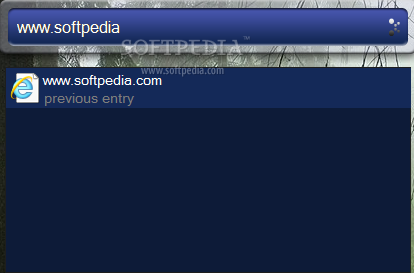
Press a hotkey on your keyboard to activate Keybreeze, type a keyword, and press Enter. Keybreeze comes with over a hundred preset keywords, and you can easily make your own.

This program also supports commands that let you search the Internet, look up a word in a dictionary, check the weather, activate the screensaver, or shut down your computer.

Keybreeze can perform more advanced options, such as automating your repetitive computer tasks, inserting your signature or the date and time into any text field, or changing the display settings of Windows.


Here are some key features of "Keybreeze":

· You can create a keyword that opens multiple targets. Just type add as a keyword in Keybreeze, press Next, and click the Multiple Targets button. One example is to make a keyword called morning. This keyword could open your e-mail, home page, news articles, weather, calendar, in just one shot.
· You can change your desktop wallpaper to a random image on your computer by typing keyword: wallpaper
· You can create a sticky note from Keybreeze by typing note as a keyword. You can set a reminder for a note to pop up once, daily, weekly, or monthly. Click here for a demonstration of the notes.
· Keybreeze has an advanced history list. Right after you press the semicolon or a different hotkey, press the down arrow key. Each time you press it, the previously entered keyword will appear. Keybreeze can store up to 10,000 keywords in a text file.
· You can check movie times at local theaters by typing keyword: movies
· You can quickly get the weather in your area by typing keyword: weather
· You can search for things on the web easily just by typing the command, "s:" and what you want to search for.
· Example: s:mp3s
· You can use r: for related web sites, d: to look up a word at Dictionary.com, or t: to look up a word in a thesaurus. Do not put a space after the colon.
· You can quickly shut down your computer by typing keyword: shut down. The following keywords are also available: restart, log off, screen saver, standby, hibernate.
· You can activate the screen saver by typing keyword: screen saver
· You can play MP3s through Keybreeze by typing keyword: p (band or song name). Example: p pearl jam black. To play a random MP3, type keyword: random
· You can check and fix errors on your computer by typing keyword: scandisk
· You can view information about your computer by typing keyword: system properties
· You can control which programs load when Windows starts up by typing keyword: msconfig
· You can move Keybreeze to different corners of your screen by dragging the toolbar with your mouse.
· You can make your own letter commands (s:, d:, t:) and change the values of the preset commands from the Options window.
· You can search for images on the internet by typing the command, i: and your search query. Example: i:car
· You can quickly send e-mail to someone by typing the command, m:, and the e-mail address. Example: m:support@spambob.com.
· You can search for an item on eBay by typing the command, e:, and your search query. Example: e:video games
· You can look up a word in a dictionary by typing the command, d:, and the word. Example: d:acetaminophen
· You can search for software programs at Download.com by typing the command, p:, and keywords. Examples: p:screen saver, p:registry cleaner
· You can get the memory (RAM) status of your computer by typing keyword, memory status. This shortcut returns RAM in use, RAM available, total RAM, and a percentage of free, available RAM.
· Keybreeze has a built-in file search utility. If you type an entry and press TAB instead of Enter, Keybreeze can search your computer for files and folders matching the entry. You can also narrow your search by typing a folder name (keyword or the actual location), followed by a comma, and a search query. Example: my documents,report. The file-search utility also includes keyboard shortcuts to narrow your search.
· If you are typing a document and actually need to use the semicolon, you can do so just by pressing two keys on your keyboard (Semicolon + Enter). You can change the hotkey from the Options screen.
· Keybreeze can do more than just opening files and websites. Use macros to automate your every-day computer actions. Macros provide shortcuts by recording your mouse clicks and keystrokes for a certain period of time. You can then type the macro name as a keyword, and Keybreeze will play back your actions automatically. Whenever you find yourself pressing the same buttons or typing the same thing again and again, you can always record a macro to automate your repetitive tasks.
· If you delete files or uninstall programs occasionally, some of your keywords might lead to files that do not exist anymore. You can clean up your Command List by using the Verify Targets Exist feature (File - Verify Targets Exist). This will check your keywords' targets to make sure the files and folders still exist on your computer.
· If you accidentally activate Keybreeze and want to set focus back to your previous window, just press the Escape key. No mouse is required.
· You can change the text in any window by using the 'change text' function. Just move your mouse pointer over the window that you want to change and type the function name into Keybreeze. An example of this is changing the Start button. Move your mouse over it and type 'change text [function]' into Keybreeze. You could change the text to "Keybreeze" as a reminder that the Start Menu is kind of useless now that you have the keyboard shortcuts in Keybreeze. :)
· If you find yourself typing the same text often, such as the date and time or your signature at the end of an e-mail message, you can save time by using the Insert Text function. This function will insert custom text into any document that you have your mouse pointer in. You can learn more about this feature by clicking the Other Features button in the Command List.
· You can quickly hide a window by typing keyword: 'hide window [function]' into Keybreeze. Hiding a window does not close the window or program. Just roll your mouse over the window you want to hide and type the function into Keybreeze. You can hide multiple windows and show them all by typing 'show window [function]
· The most futuristic function in Keybreeze would have to be 'make window translucent'. Roll the mouse over a window, and type this function into Keybreeze to make that window see-through or partially transparent. You can adjust the opacity setting in the Options window.
· You can set a window to always be on top of other windows by using the 'set window on top' function. Roll your mouse over a window and type the function into Keybreeze. Then, the window will always be on top.
· Most of the functions have their inverses. If you change a window with a function, you can change it back to normal by typing "undo " and the function name into Keybreeze. The hide window function is the only exception. To show a hidden window, use the show window function.
· Type 'time' as a keyword in Keybreeze to get the current time, date, and PC uptime. The PC uptime tells how long your computer has been running (last time since shutdown or restart).
· You can make a macro that logs into your e-mail account, internet service provider, or any other account. You can go even further by recording yourself login and going to different areas after that.
· If you regularly search for something on a website, making a letter command can save you minutes of time. You can make a letter command in the Command List. To learn about letter commands, right-click the Keybreeze icon in your system tray, click Help - Troubleshooting - Letter Commands Tutorial.
· The clipboard (cut/copy and paste) is a huge time saver built into Windows. Keybreeze has several clipboard controls -- the 'clear clipboard' keyword, which will clear the memory from the clipboard. The 'clipboard' keyword will open the Clipboard Viewer. You can also use the copy text function to copy the text in any window, even buttons and labels.
· You can create notes on your desktop by typing "note" as a keyword in Keybreeze. These notes resemble sticky notes. They have various options, and you can set reminders for them to popup later. To change options and set reminders, right-click the slightly dark toolbar at the top of a note.
· You can toggle between locking a note and unlocking a note by double-clicking the slightly dark toolbar at the top of a note.
· This may seem obvious, but I didn't realize it for a while. The reminders you can set for notes can be used for regular daily chores or weekly activities, not just important events that are rare. For example, you can set daily reminders to check the mail or to take pills, vitamins, etc. You can set a weekly reminder to mow the lawn or take out the trash. Since notes like these would pop up daily or weekly, you can keep track of regular chores by deleting the notes after you do them.
· Some people who want to lock their computer or protect it from others using it will log off whenever they leave their computer. This method works, but logging back onto the computer can be a slow process. You can quickly lock your computer by enabling Password-protect for your screen saver. To do this, right-click your Desktop and click Properties - Screen Saver. Once the password is active, you can quickly lock your computer by typing "screen saver" as a keyword in Keybreeze.
· You can open a TV Guide on your computer by typing keyword: tv guide.
· Do you bid for items on eBay? Keybreeze has a new shortcut that lets you configure a countdown and a timer. Just type "countdown" or "timer" as a keyword.
· You can normally run a macro by typing the macro name as a keyword in Keybreeze. However, if you would like Keybreeze to automatically run a macro at a certain time, you can do so by right-clicking the Keybreeze icon in your system tray, and clicking Macros - Scheduled Macros.
· (This tip only applies if you have the semicolon key as the hotkey). If you are typing a document and need to use the semicolon, just press {Semicolon + Enter}. Normally this would activate Keybreeze, but if you press Enter right after you press the semicolon, Keybreeze will set focus to the window you are working in and insert a semicolon to your document.
· You can search Wikipedia.com (a free encyclopedia) from Keybreeze just by pressing the hotkey and typing w: and your search query. Example: w:egyptian pyramids
· You don't have to spend time opening your internet browser and scrolling through your Favorites to get to a website. Instead, just make a keyword in Keybreeze that opens the website for you. Whenever you are looking at an important page, just type "add" as a keyword in Keybreeze. Then just copy and paste the address/URL of the site to the Target field and make up a name for the keyword. Ten seconds later, you can open the web page by pressing a hotkey and typing the keyword into Keybreeze.
· Keybreeze has a new feature called QuickTab, and it provides keyboard shortcuts to manage the windows on your screen. You can bring one window into focus by pressing the Keybreeze hotkey and pressing the first letter of the caption twice. For example, if you have a window open with a title of Document1 - Microsoft Word, you can bring it into focus by pressing (Hotkey) + dd.
· You can quickly minimize the window that you're working in by pressing (Hotkey) + Space bar.
· You can also press (Hotkey) + Ctrl to close the current window. For other QuickTab shortcuts, type "options" as a keyword in Keybreeze.
· You can quickly set a reminder in Keybreeze by typing "reminder [note]" as a keyword. The reminders can be set to pop up daily, weekly, monthly, or one-time only.
· Searching for a file or folder on your computer can take a while, but Keybreeze has a convenient file search utility that lets you narrow your search. When you want to search for something, just type a folder that the file is under (the folder can be the actual location or a keyword that leads to a folder), and then type a comma, followed by a search query. Example: my documents,history report
· If you use Skype to make internet phone calls, you can quickly call someone by typing "c (username)" as a keyword in Keybreeze. Just replace (username) with the person you want to call.

Requirements:

· Disk space : setup file (3.31 MB); total installation (9.40 MB)

Limitations:

· 15-keyword limit

What's New in This Release:

· Keybreeze can open network paths.
· The runtime error that appears when indexing files was fixed.


Download
Keybreeze 3.5.3
17:45 | 0 Comments | Read More

Z-WAMP 1.0.9

A Web server to help you with your work.

Z-WAMP is a lightweight, east to install, portable Web server package designed with the latest production / stable versions of Apache, MySQL, SQLite, and PHP with Alternative PHP Cache (APC) to boost server performance.

Here are some key features of "Z-WAMP":

· PHP 5.3.2
· MySQL 5.1.45
· Apache 2.2.15
· phpMyAdmin 3.3.1
· APC 3.1.3p1
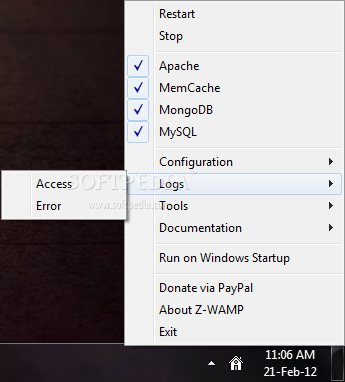
· Easy-to-use controller in system tray


Download
Z-WAMP 1.0.9
17:41 | 0 Comments | Read More

Mozilla Lightning Project 1.0 Beta 2 RC1 / 0.9

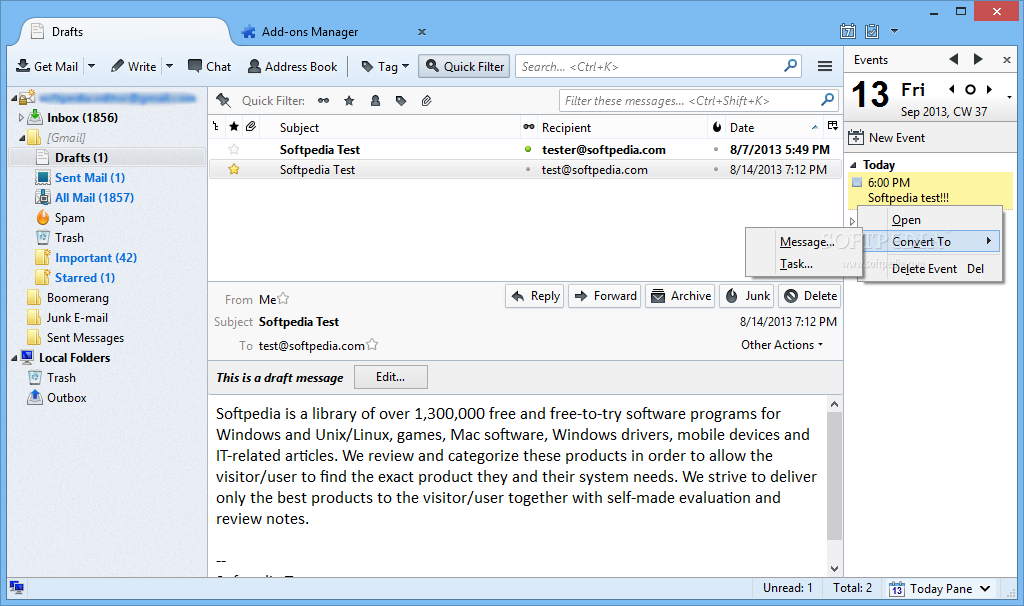
Manage your daily schedule directly within Thunderbird or SeaMonkey

Lightning brings the Sunbird calendar to the popular email client, Mozilla Thunderbird and the SeaMonkey internet application suite. Since it's an extension, Lightning is tightly integrated with Thunderbird or SeaMonkey, allowing it to easily perform email-related calendaring tasks.

All in all, this extension will offer you the possibility to manage your daily events or tasks directly within Thunderbird or SeaMonkey.

Requirements:

· Pentium 233 MHz (Recommended: Pentium III 500MHz or greater)
· Windows 7, Windows Vista, Windows XP: 786 MB RAM (Recommended: 1GB RAM or greater)
· 10 MB hard drive space
· Mozilla Thunderbird 3.0b4 – 3.0.*
· SeaMonkey: 2.0b2 – 2.0.*

What's New in This Release:

· Seamless integration into the new Thunderbird 3.0 user interface

· The different modes (calendar view, task view) are now diplayed in tabs

· Lightning now supports SeaMonkey 2.0 as a host application

· You can now define multiple alarms for a single event

· CalDAV support and interoperability with various CalDAV servers has been improved

· The application stability, performance and memory consumption has been improved


Download
Mozilla Lightning Project 1.0 Beta 2 RC1 / 0.9
17:39 | 0 Comments | Read More

Replay AV 8.80

The most powerful way to capture Streaming Video and Audio.

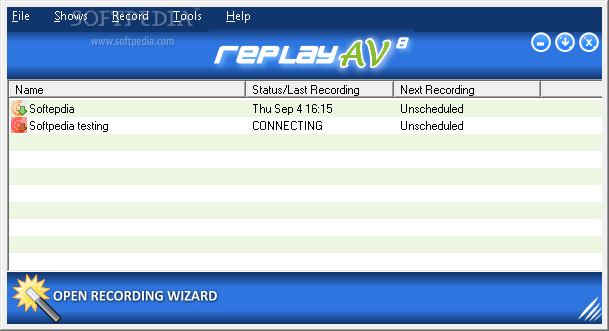
Replay A/V is the most powerful way to capture Streaming Video and Audio, including Radio Shows, Online TV Broadcasts, Video Clips, Audio Archives, and Podcasts. And best of all, it's really easy to use.

Replay A/V makes it easy to save all types of online media. With it you can record any streaming audio and video instantaneously, or schedule recordings to happen automatically later.

Plus, the integrated Replay Media Guide lets you pick Radio Shows, Radio Stations, TV Stations and Podcasts to record with a single click. Replay A/V also captures Sirius and XM Online, too!

All the popular formats are supported, including Windows Media, Real, Streaming MP3, Flash Animations and Flash Video. Plus, Replay A/V includes an audio recorder that can snag anything you can hear.

If you have an iPod or another MP3 Player, Replay A/V has some very handy ways to copy files to your device. For iPods, you can make Audiobook files, which let you make bookmarks in long audio files. All recordings can be automatically copied to any MP3 Player or iTunes.

Here are some key features of "Replay AV":

For TV and Radio Shows:
· Records any audio format.
· Record Sirius and XM Radio online.
· Integrated Replay Media Guide contains 1214 Radio Shows, 4930 Radio Stations , 22718 Podcasts and 513 TV Stations.
· URL Finder lets you capture ANY online audio or video.
· Records multiple stations simultaneously.
· Records with perfect reproduction at the smallest possible size.
· Eliminates background noises from audio recordings.
· Record to MP3, WMA, WAV, OGG and AAC.
· Make audio and MP3 CDs.
· Automatically import recorded shows into iTunes
· Makes Bookmarkable files for iPod listeners
· Options to split recordings by silence, time or minutes after the hour.
· Listen in less time with Compress Speech feature.
· Eliminate long periods of silence from recordings.
· Quick Record makes it easy to record instantly.
· Includes Replay Player for listening on the PC and skipping over unwanted audio.
· Support for WiFi Boomboxes and media extenders via uPnP
· Custom conversion system to add your own conversions.
· Record from radios attached to your PC.
· Record from the Microphone.

For Podcasts:
· Subscribe to 22718 Podcasts (and counting) with just one click.
· Download individual episodes to iTunes with One Click.
· Convert automatically to iPod bookmarkable.
· Retags genre on MP3s to make organizing shows easy.
· BitTorrent support
· Burn podcasts directly to CDs
· Option to limit number of shows downloaded when subscribing.
· Check for new shows at specified times or intervals.
· Podcast Media Guide lets you search by name, description, show notes, or even audio within any episode.
· Dynamic Feeds let you make subscription lists for others.

Limitations:

· Record for 5 minutes per session.
· Capture 5 Mb per file.

What's New in This Release:

· Improved connection for registration purposes.
· Fixed Sirius login error.


Download
Replay AV 8.80
17:38 | 0 Comments | Read More

Email Poster 1.0

A tool that can send massive emails automatically.

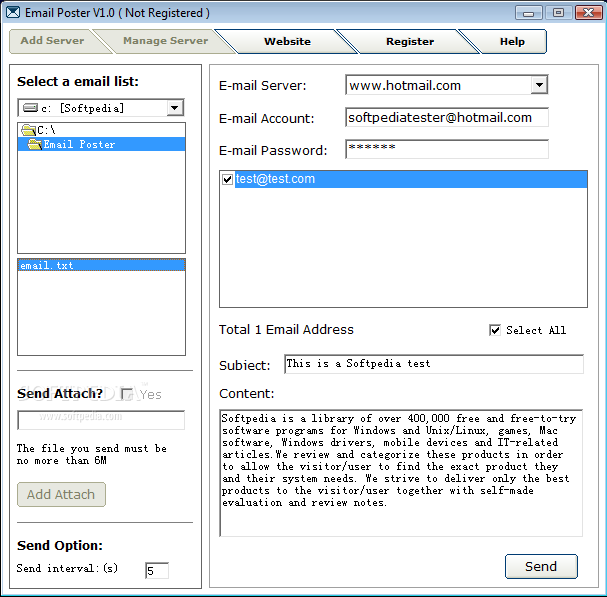
Email Poster is a software that will help you send massive emails automatically. This program can take advantage of large-scale email system, such as hotmail and gmail to send emails to your customers in one time. You can also add and manage your other available mail system into this program.


Download
Email Poster 1.0
17:36 | 0 Comments | Read More

COMODO Internet Security 4.1.149672.916

Award-winning Comodo Firewall and Antivirus protection for PCs

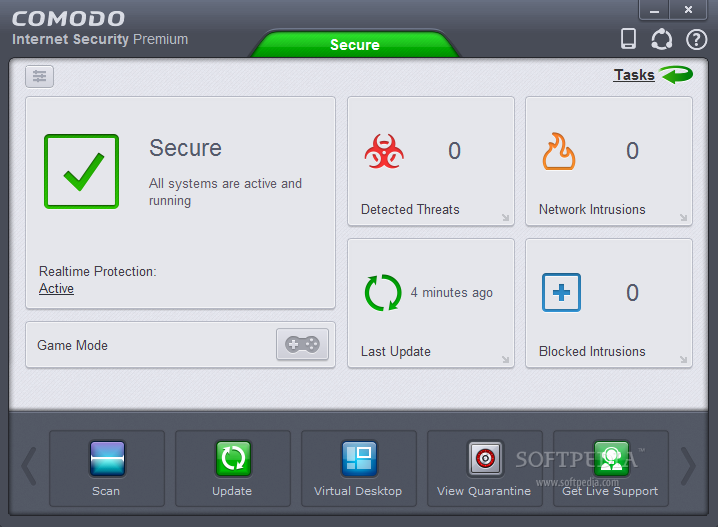
Comodo Internet Security, Comodo’s award-winning free security suite, offers prevention-based, Default Deny Protection (DDP) technology to prevent malware in your PC. Conventional security suites ignore prevention, focusing only on the eventual detection of viruses. Basically, this means that it will allow all applications to access your PC resources by default as long as the application is not on your security software’s blacklist of already known malware.

Comodo Internet Security includes an extensive white-list of safe executables called the 'Comodo Safe-List Database'. This database checks the integrity of every file and application asking for access to your PC. In addition, this software can alert you of all potentially damaging programs even before they are installed. This is a ground-breaking method of protecting your PC. Traditionally firewalls only detect harmful applications from a blacklist of known malware - often-missing new forms of malware that are being created and launched daily.

Comodo Internet Security is continually updated and currently almost 3,000,000 applications are in Comodo Safe list, representing virtually one of the largest safe lists within the security industry. Put simply, the good stuff gets in, and the bad stuff gets nowhere near your PC’s insides. Our latest version includes both DNS protection, to make sure the URLs you visit are safe, and the option oh installing the HopSurf toolbar, a new and innovative way to surf the Web.

Comodo Internet Security is now available in 15 different languages, and comes included with a free 30 day trial of Live PC Support.

Requirements:

· Internet Explorer
· 64 MB available RAM
· 35 MB hard disk space for 32-bit versions and 55 MB for 64-bit versions

What's New in This Release: [ read full changelog ]

· NEW! Sandbox button in elevated privilege alerts: Privilege elevation alerts now
· include a sandbox button to run installers in limited mode
· IMPROVED! Default security policy is modified so that outbound firewall connection
· alerts are shown for the unknown applications
· IMPROVED! Online Lookup: Defense+ now checks the applications online in real-time
· before automatically sandboxing them
· FIXED! The vulnerabilities related to certain hooks reported by
· Matousec.com(http://www.securityfocus.com/bid/39924/
· FIXED! Incompatibility problems with many applications(e.g. HD Speed, Autocad etc)
· FIXED! Already submitted files can be submitted again under certain conditions
· FIXED! Defense+ does not show protected registry key modification alerts for sandbox
· applications in Windows XP 64
· FIXED! Windows System Restoration fails because of file sfi.dat
· FIXED! Cfp.exe freezes while showing real-time virus detection dialog
· FIXED! Antivirus crashes while scanning certain files


Download
COMODO Internet Security 4.1.149672.916
17:34 | 0 Comments | Read More

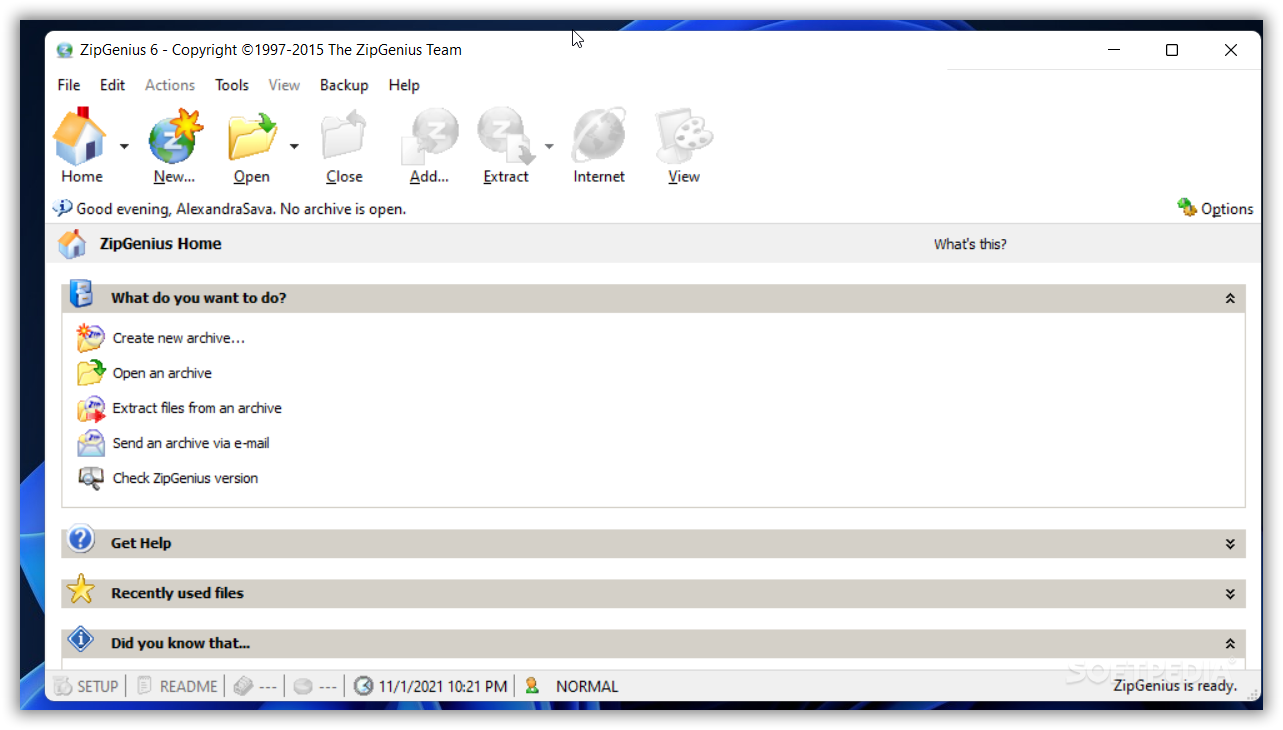
ZipGenius 6.3.1.2590

Zip compression program with many features

ZipGenius is the absolutely free software for Windows·� that lets you compress files to almost any kind of archive. ZipGenius supports more than 20 compressed archive formats, including CD/DVD-ROM image files in ISO9660 standard.

This is the file compression suite you were searching for: it is free and easy to use, plus it supports more than 20 formats of compressed archives, including RAR, CAB, SQX, ACE, ARJ,OpenOffice.org documents and the excellent 7-zip.

ZipGenius now can precompress executable files going to be added to a ZIP archive through the UPX compressor.

ZipGenius is presented in two editions: STANDARD and SUITE that differs for the content they ship to user's Desktop.

While the suite edition is the full setup package that includes all the optional modules of the ZipGenius project, because it is a setup layout oriented to experts and power users, the standard setup package just includes the main ZipGenius application because it is designed for most Windows·� users, that just want to open/compress/decompress archives in several formats.

What's New in This Release

· Fixed the `IniPath` issue in multiuser Windows environments and the `Unable to write to ... zipgenius.ini` error. Minor bugs fixed


Download
ZipGenius 6.3.1.2590
17:32 | 0 Comments | Read More